For pest control operators
Pest control software that's actually free
Monthly and quarterly programs that generate themselves, treatments and one-time jobs as lines, a dry-day rule for exterior sprays, and a portal where the customer sees every upcoming visit. Free, no monthly plan.
Free forever. No credit card. Set up in minutes.
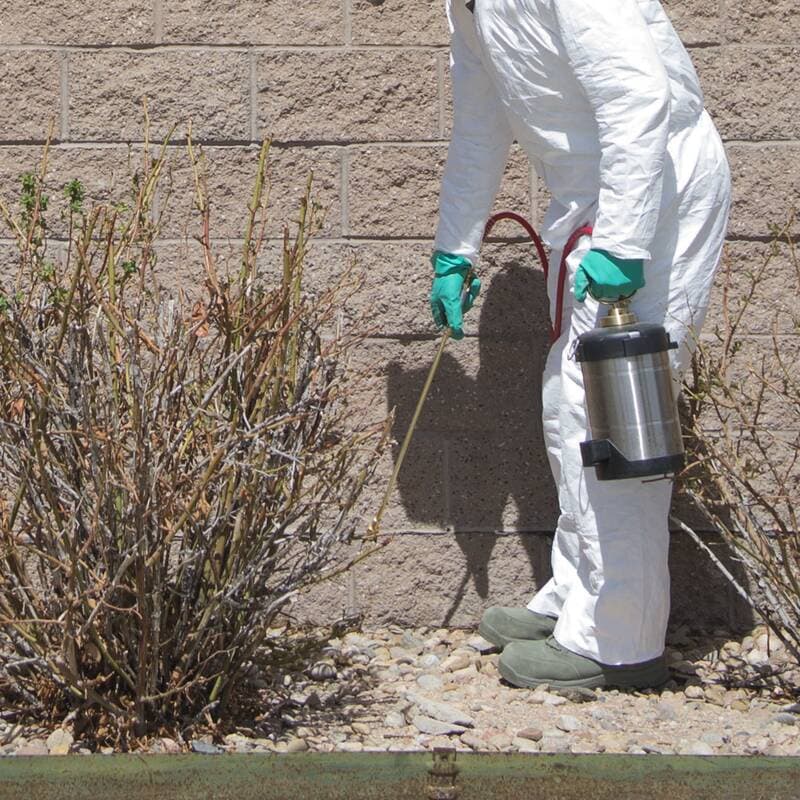
Free forever. No monthly plan, no seat fees, no trial clock.
Built for pest control
What a pest control operator gets, for $0.
Programs that repeat
Monthly, bimonthly, and quarterly visits generated for the year with an end date.
SchedulingProgram tiers
Quarterly, bimonthly, and monthly as three packages on one quote.
QuotingDry day after for sprays
A rule for exterior barrier treatments checks the day after.
SchedulingTreatment notes with photos
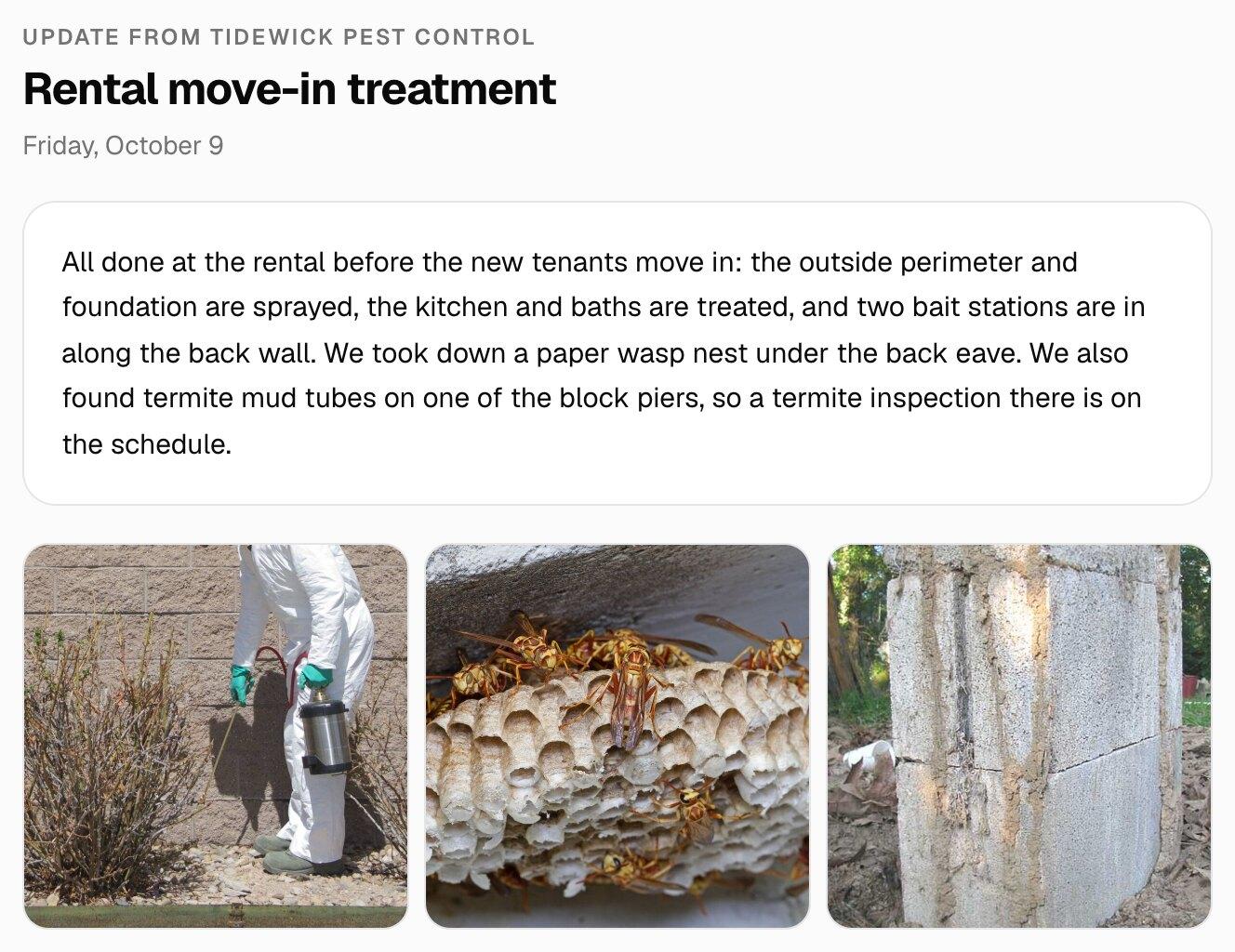
Send what you treated and where; the customer gets an email and a portal record.
Customers & portalA portal per customer
Upcoming visits, updates, invoices, and documents behind one private link.
Customers & portalInvoices by visit or period
One-click invoices with a card or bank pay link.
Invoicing & paymentsReminders you don't send
Overdue reminders go out automatically, three at most.
AutomationsOne-time jobs with deposits
Exclusion and termite work with a deposit collected at approval.
Invoicing & payments
What changes with MakeHay
Quote, schedule, get paid, come back.
Schedule around the weather, not despite it
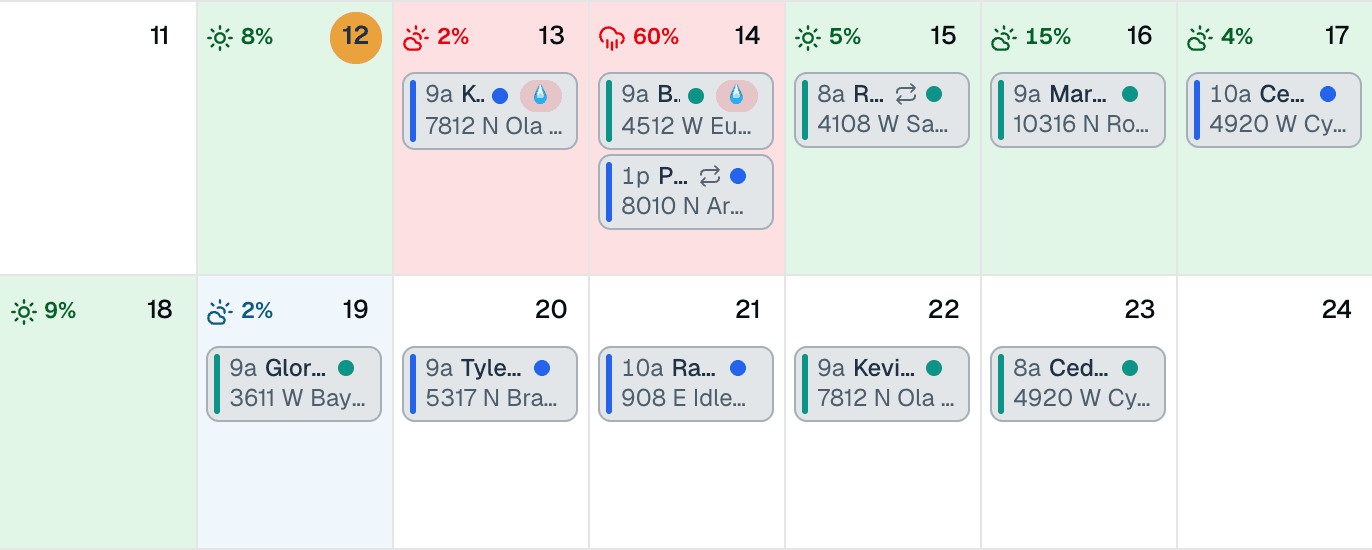
Exterior barrier sprays want a dry day after them; interior work doesn't care. Write both as rules and each visit is checked at its own address from the National Weather Service forecast. Programs repeat monthly or quarterly with an end date, and every visit lands on the calendar on its own.
- Programs generated as recurring visits for the year
- Dry-day-after rule for exterior sprays, no rule inside
- Rain flags per property, from the rule you set
- Day-before reminders so the customer knows you're coming
Quote it before you leave the site
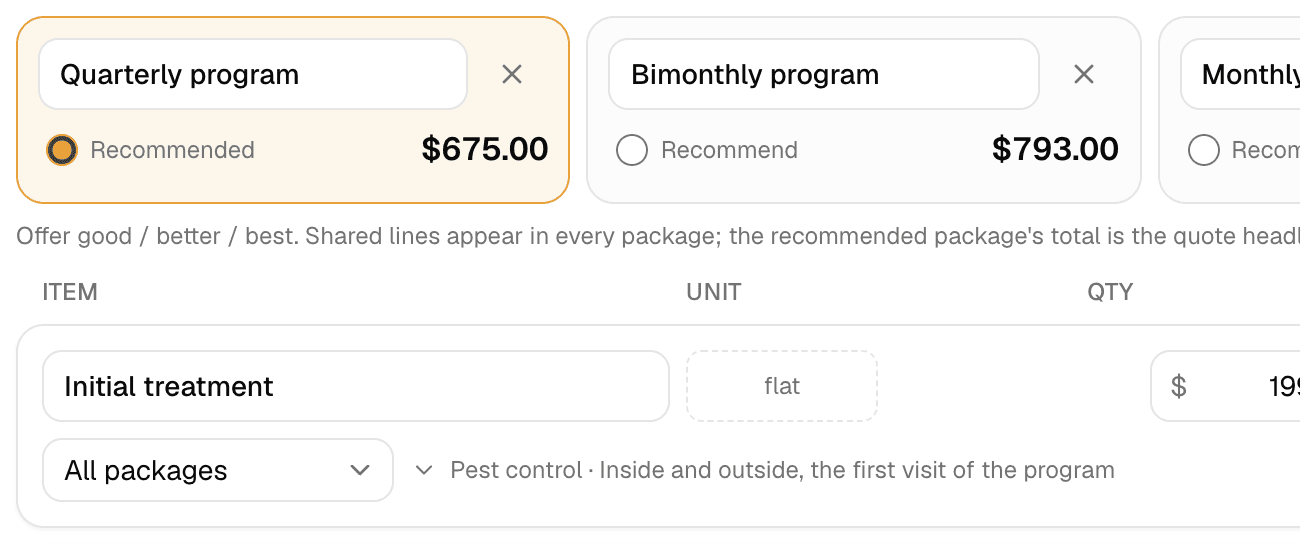
Quote a quarterly program flat, with an initial treatment, exclusion work, and one-time jobs as lines from your price book. Offer quarterly, bimonthly, and monthly as three packages on one quote. The customer approves from their phone with the initial paid in the same tap.
Get paid without chasing
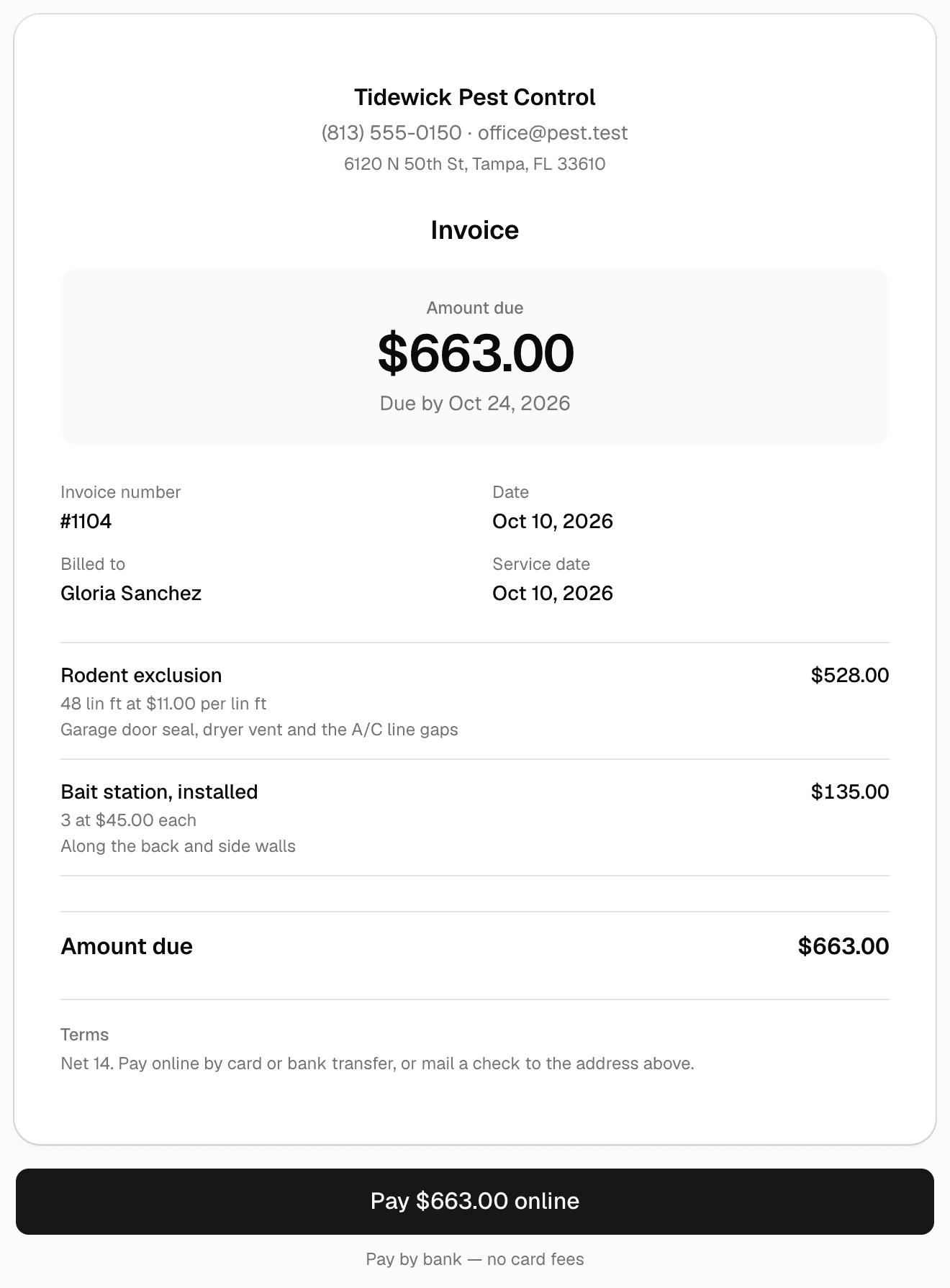
Each visit or each program period becomes an invoice in a click, with a card or bank pay link. Overdue reminders go out automatically, up to three, in your wording. One-time jobs take a deposit at approval and the balance by link.
Keep every customer for the re-do
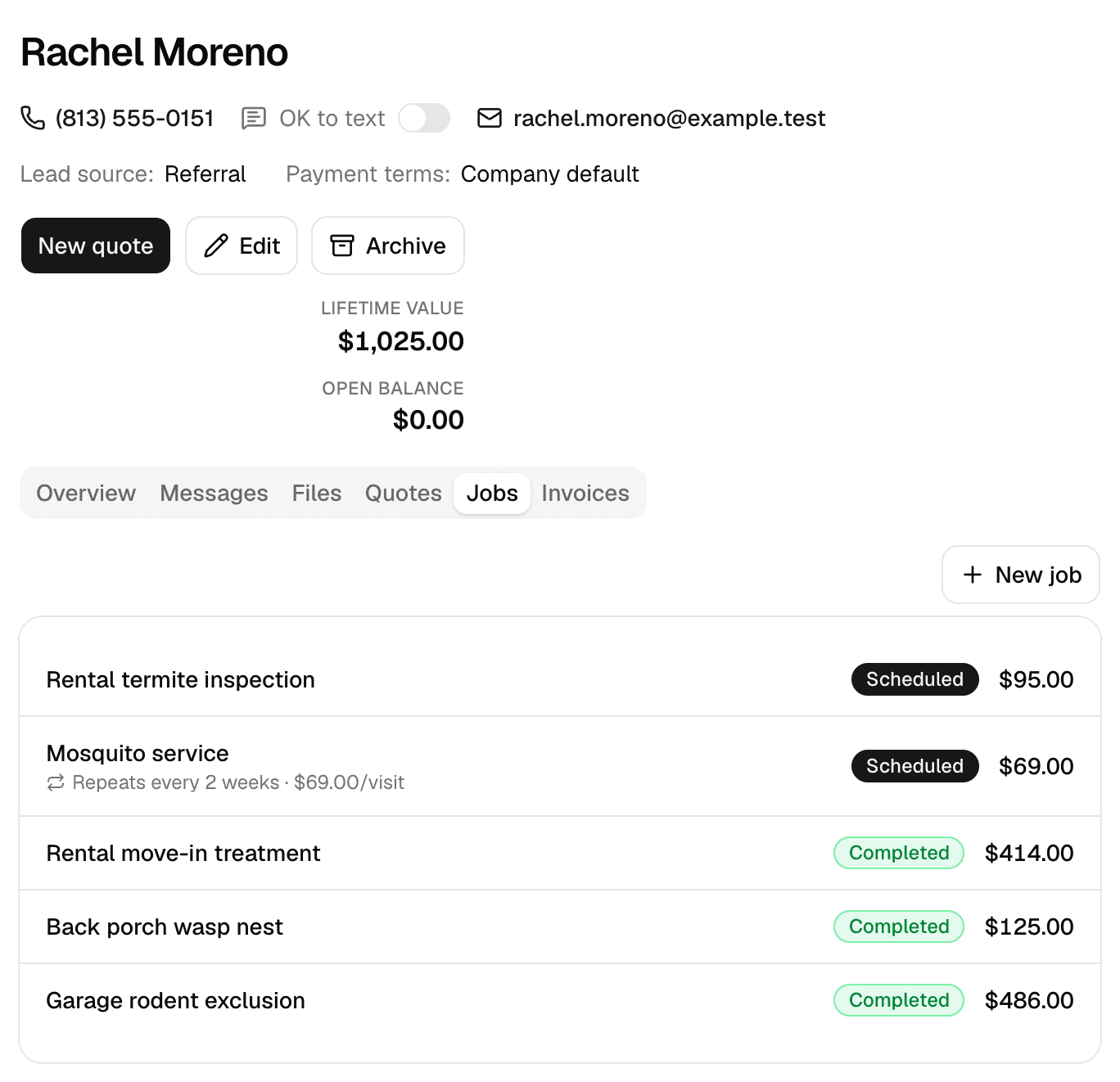
A program customer is a customer for years. Every customer's page keeps the program, treatment history, the photos you sent, and the balance, so the renewal is a click and the termite call starts from the record.
Give every customer a portal
One private link per customer: messages with photos, documents you request, a heads-up on any contract waiting for their e-signature, and invoices they pay. No app, no password, free.
Want a website too? Our team of experienced web developers builds one from your account: a page per service in your price book, a page per town you serve, your photos, and your request form as the contact page, so every lead lands in Requests. Optional, with plans from $97 a month. See the Website add-on
Set up in ten minutes
What a pest control business puts in on day one.
A starting point that matches how the trade bids and runs. Every item, rule, and follow-up is yours to rename, reprice, or switch off.
Price book
- Quarterly program, per visitflat
- Initial treatmentflat
- Rodent exclusionper linear ft
- Bait station, installedeach
- Termite treatmentper linear ft
- Wasp or hornet nest removaleach
Weather rules
- Exterior barrier sprays: rain under 30% the day of and the day after
- Interior treatments: no rule
- Termite trenching: rain under 40% on the day
Follow-ups that run themselves
- Visit reminder the day before each program visit
- Overdue invoice reminders, three at most, a week apart
- Review request once an invoice is paid
The honest math
Compare the bill, not the brochure.
MakeHay
$0/mo
Free is the plan, not a trial of one
- Every feature, every user, from day one
- No per-seat pricing, no feature gates
- No credit card, nothing to cancel
The usual field-service subscription
$29 to 399/mo
plus per-user fees on top
- Per-seat pricing that climbs as your crew grows
- The features you actually need gated to higher tiers
- An annual bill whether it rained all month or not
Guides
Pest control guides.
- How to Price Pest Control Quarterly Plans and One-Time Jobs
How to price pest control: quarterly perimeter plans, a higher first visit, product cost from the label mix rate, licensing, termite, wasp and rodent work.
- How to Price One-Time Pest Control Jobs: Wasps, Mice, Ants
How to price one-time pest control jobs: a trip charge plus flat lines per nest, per opening and per room, product from the label, return visit built in.
FAQ
Pest control questions, answered straight.
Is it really free for pest control operators?
Yes. Unlimited customers, properties, quotes, scheduling, and invoices, free forever, not a trial. No monthly plan, no seat fees, and no credit card.
Does it handle quarterly and monthly programs?
Yes. Set the program to repeat monthly with an interval and an end date and the visits generate onto the calendar, each with a day-before reminder and the property's forecast.
Can customers see their treatment history?
Yes. Every customer gets a private portal link with their upcoming visits, the updates and photos you sent, documents, and invoices with balances. No app, no password.
Does it track chemical usage for compliance?
No. MakeHay keeps notes, photos, and files on each visit and property, but it doesn't have a regulated chemical-application log. If your state requires one, keep it in your existing system.
How do one-time jobs work alongside programs?
Exclusion, termite, and nest jobs are quotes with their own lines and a deposit at approval, on the same customer as the program.
What's the catch for a pest control business?
No catch. The software costs us almost nothing per operator to run, so it is free. Online card and ACH payments carry processing costs, as they would with any provider.
See every trade we build for on the industries page, browse the full feature list, check pricing (it's free), or measure your next job on the free satellite measurement tool, no account needed.
Programs that run themselves. A bill that stays at zero.
Recurring programs, treatment tiers, spray-day rules, and a portal with every upcoming visit. Free forever.
Free forever. No credit card. Set up in minutes.