Automate
The follow-ups you'd send if you weren't on a job all day.
Quotes that don't get a nudge don't close, and invoices that don't get a reminder don't get paid. MakeHay sends both automatically, in your words and on your schedule, while you run the actual work.
Free forever. No credit card. Set up in minutes.
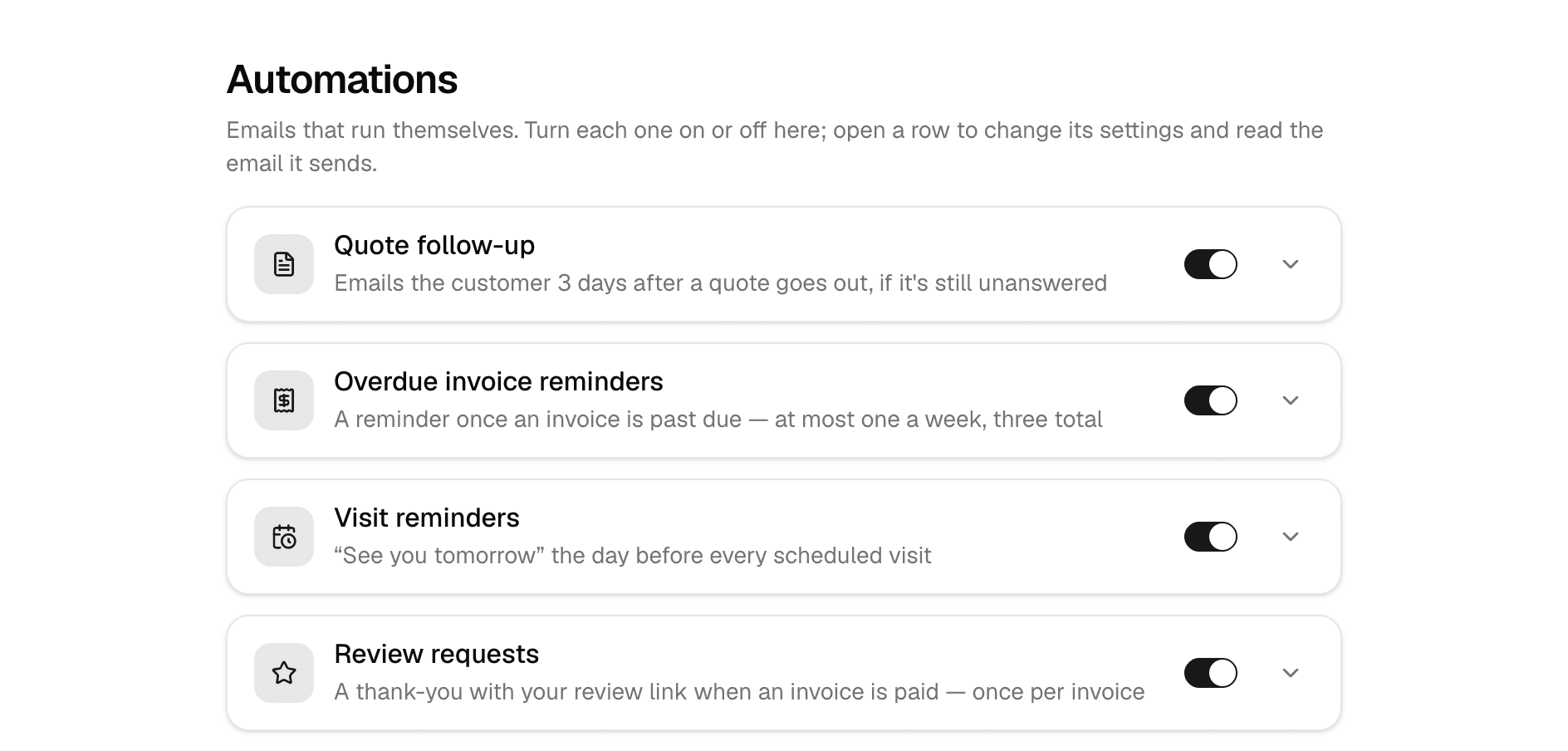
Each follow-up is its own switch, with the timing and wording in plain sight.
- Every message logged
- See what went out, when, and to whom.
- Each one is a switch
- Turn on the follow-ups you want; leave the rest off.
- Unsubscribes honored
- A customer who opts out stays opted out.
- Free, no per-message fees
- Email follow-ups cost nothing extra.
Close more quotes
The polite nudge, sent on schedule.
A quote that's been sitting unanswered gets one automatic follow-up after the number of days you choose. That single email revives deals you'd have forgotten to chase.
- Follow-up timing you control, per company
- Your wording, edited under Settings, with a test send to yourself
- One nudge per quote, never spammy
Hi Pat, just making sure our quote for the Bell Rd lot made it to you.
It's good through Aug 15. Tap below to review or approve.
Collect without chasing
Overdue invoices remind themselves.
When an invoice passes its due date, MakeHay starts nudging: politely, in your voice, with the payment link right there. Most late invoices aren't disputes; they're forgetfulness. Automation fixes forgetfulness.
- Automatic reminders for overdue balances
- Payment link included, so they can pay from the email
- Stops the moment the invoice is settled
Hi, invoice #19 for $1,860 was due last Tuesday.
You can pay by card or bank transfer right from the link below.
Build your reputation
Review requests when customers are happiest.
The moment an invoice is paid is the moment a customer likes you most. MakeHay can ask for the Google review right then, automatically, with your review link.
- Sends after full payment, when goodwill peaks
- Your Google review link, your wording
- One ask per invoice, logged with delivery status so you know it landed
- Turns on once your Stripe account is linked, since it watches for the payment
Glad we could get your lot looking sharp again.
If you have 60 seconds, a Google review helps us more than you'd guess.
Fewer no-shows
'See you tomorrow', sent for you.
Turn on visit reminders and every customer gets a day-before email in your voice with the time and a reply-to-reschedule line.
- Day-before reminders for scheduled visits
- Your wording, previewed before it goes out
- Sent only when you've turned them on
Just a quick reminder that we're scheduled to see you tomorrow. Need to reschedule? Just reply to this email.
Spring sealcoat · Tue, Jun 3 · 8:00 AM – 12:00 PM
Your words
Every email your customers get, in your voice.
One settings page lists every email MakeHay sends on your behalf, from the quote itself to the receipt, the visit reminder and the signature request. Change the subject line and the opening of any of them. Drop in the customer's name, the quote total or the visit time with a variable, and the live preview shows each one filled in with sample details, green when it's right.
- Seventeen customer emails, each with its own subject and opening
- Variables for names, numbers, totals and dates, with a key beside the editor
- Live preview that marks every variable, so a typo shows before you save
- Send yourself a test of any of them
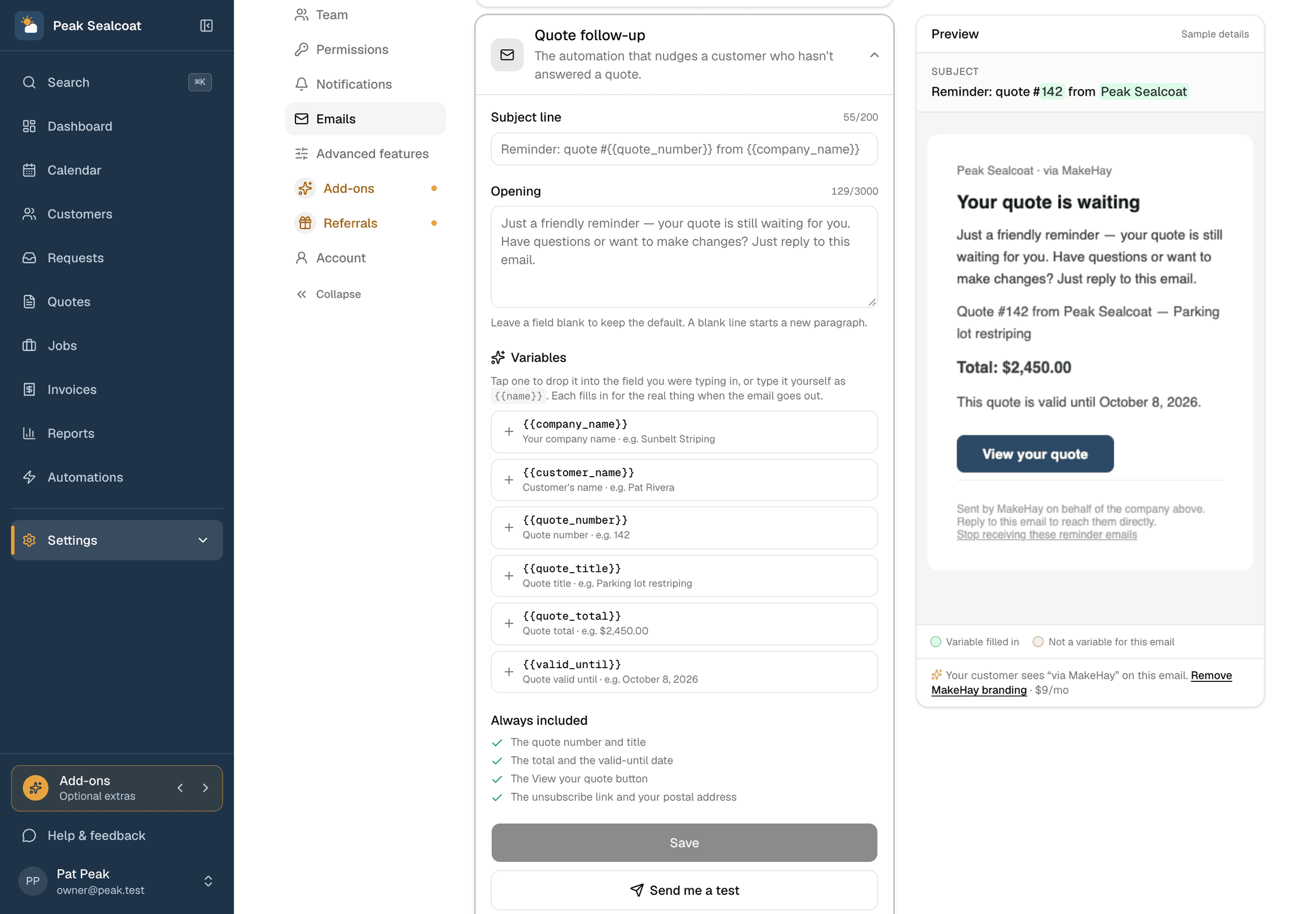
The editor on one side, the email as the customer sees it on the other.
Why businesses trust it
What every business gets, from day one.
Built to help small businesses grow
A lead form for your website, quotes customers approve from their phones, follow-ups that go out on their own, and a portal that answers "where's my invoice?" These are the tools the big platforms charge for, free, so the money stays in the business.
Straight pricing, no catch
$0 a month, every feature, no seat fees, no trial clock. The only charge is 1.5% on card and bank payments you choose to take online, and nothing if you don't.
A person answers
Every email MakeHay sends you is one you can reply to, and a person reads every reply. Missing a unit, a step, a trade? Say so.
FAQ
Common questions
Will automations spam my customers?
No. Every automation is deliberately conservative: one follow-up per quote, invoice reminders that stop the moment it's paid (three at most, a week apart), one review ask per paid invoice, and visit reminders only when you've turned them on. You control the timing and the wording, and you can preview every message.
Can I customize what the emails say?
Yes. Settings › Emails lists every email MakeHay sends your customers, not just the automated ones. Edit the subject line and the opening, use variables like the customer's name or the quote total, watch the live preview fill them in, and send yourself a test copy.
Why do review requests need Stripe?
A review request goes out the moment an invoice is paid in full, so MakeHay needs to see the payment. Link your Stripe account under Settings › Payments and the switch turns on; it takes a few minutes.
Are automations really free?
Yes. Email automations are part of the free plan: quote follow-ups, invoice reminders, visit reminders, and review requests all send at no charge.
More of MakeHay
It all works together.
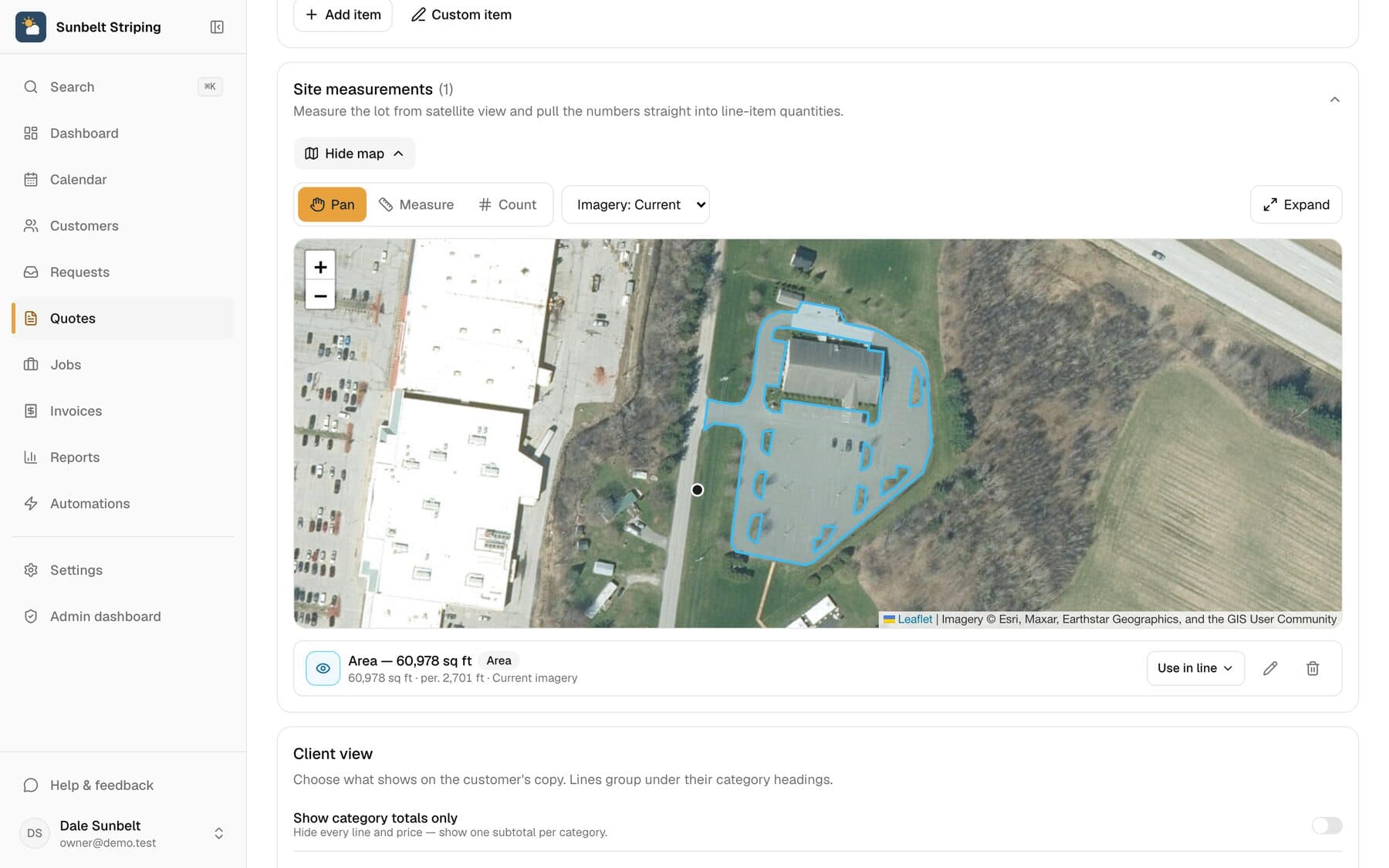
Satellite measurement
Measure any site from your desk: square feet, linear feet, stalls.
Learn more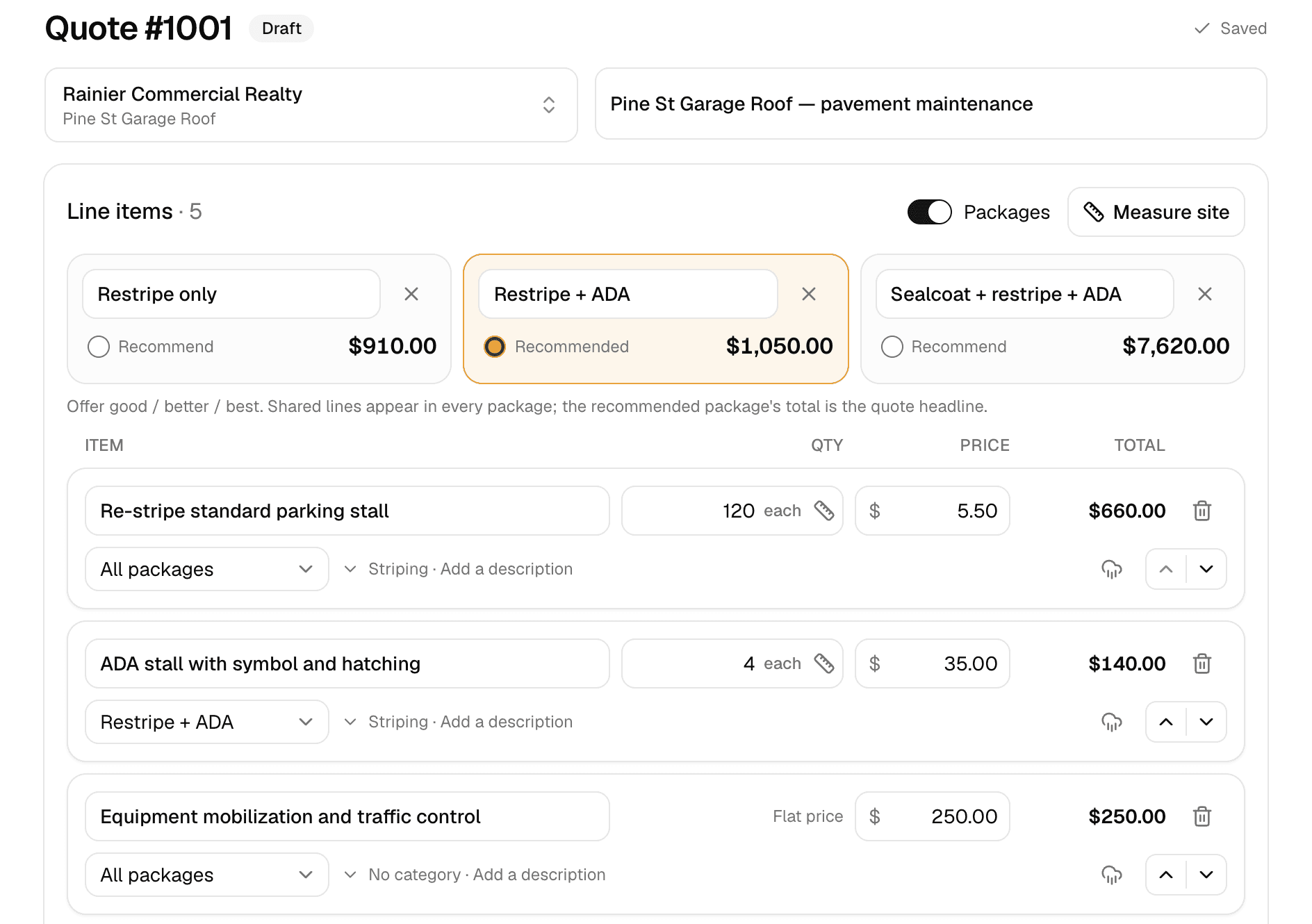
Quoting
Good/better/best quotes your customer approves online.
Learn more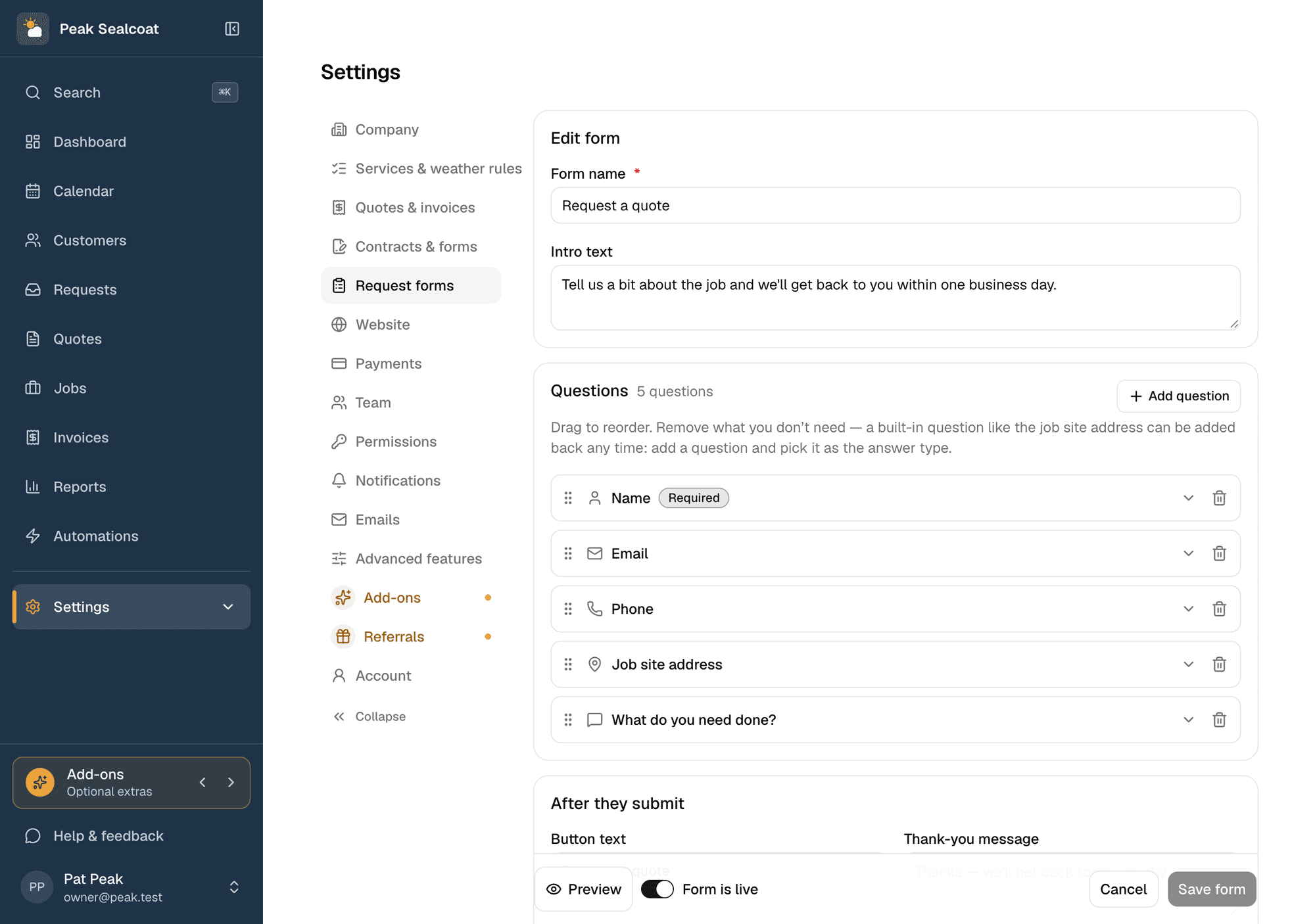
Request forms
A quote-request form for your website, or a link when you don't have one.
Learn more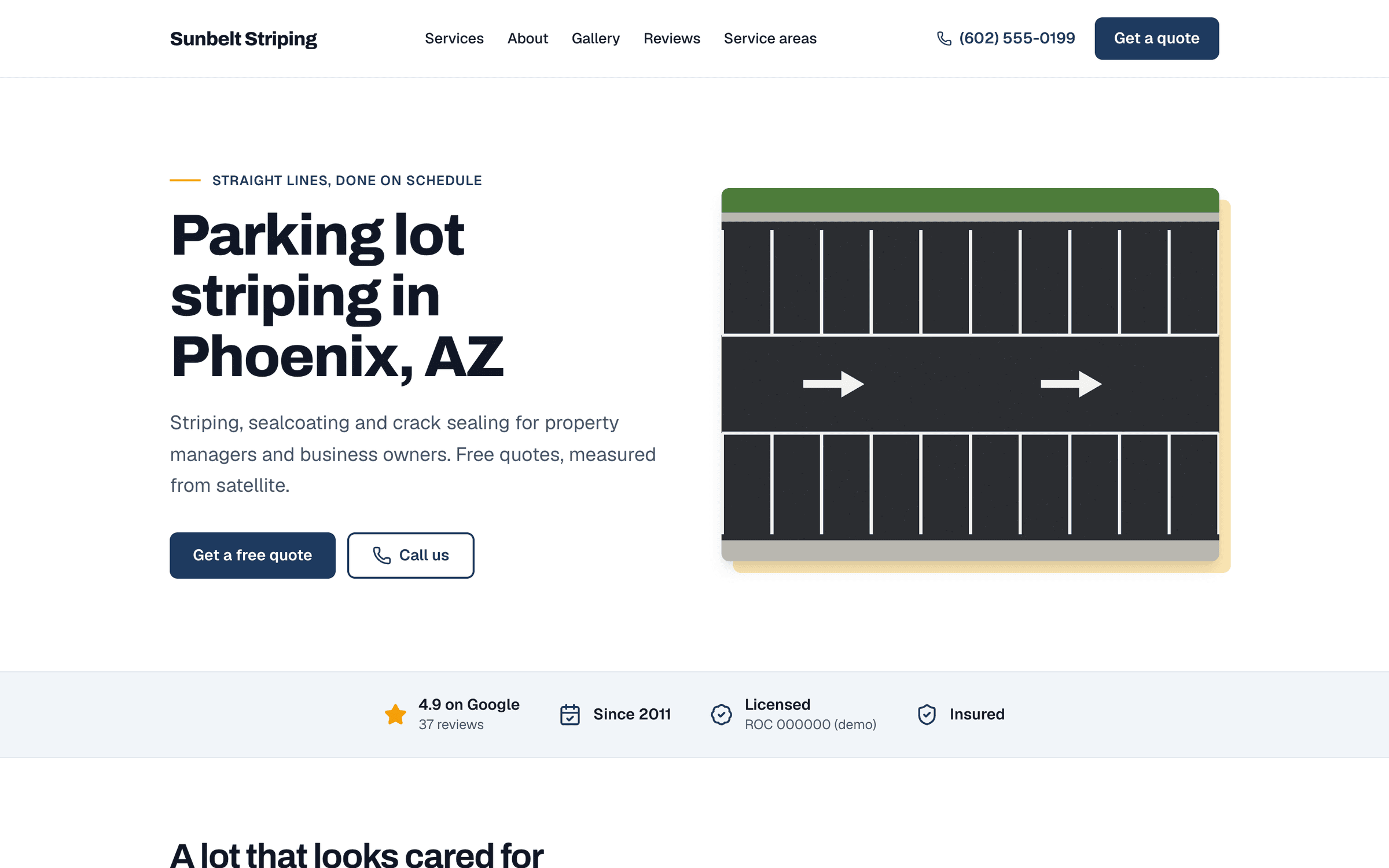
Website
A website built for you by a team of experienced web developers. Every lead lands in Requests.
Learn more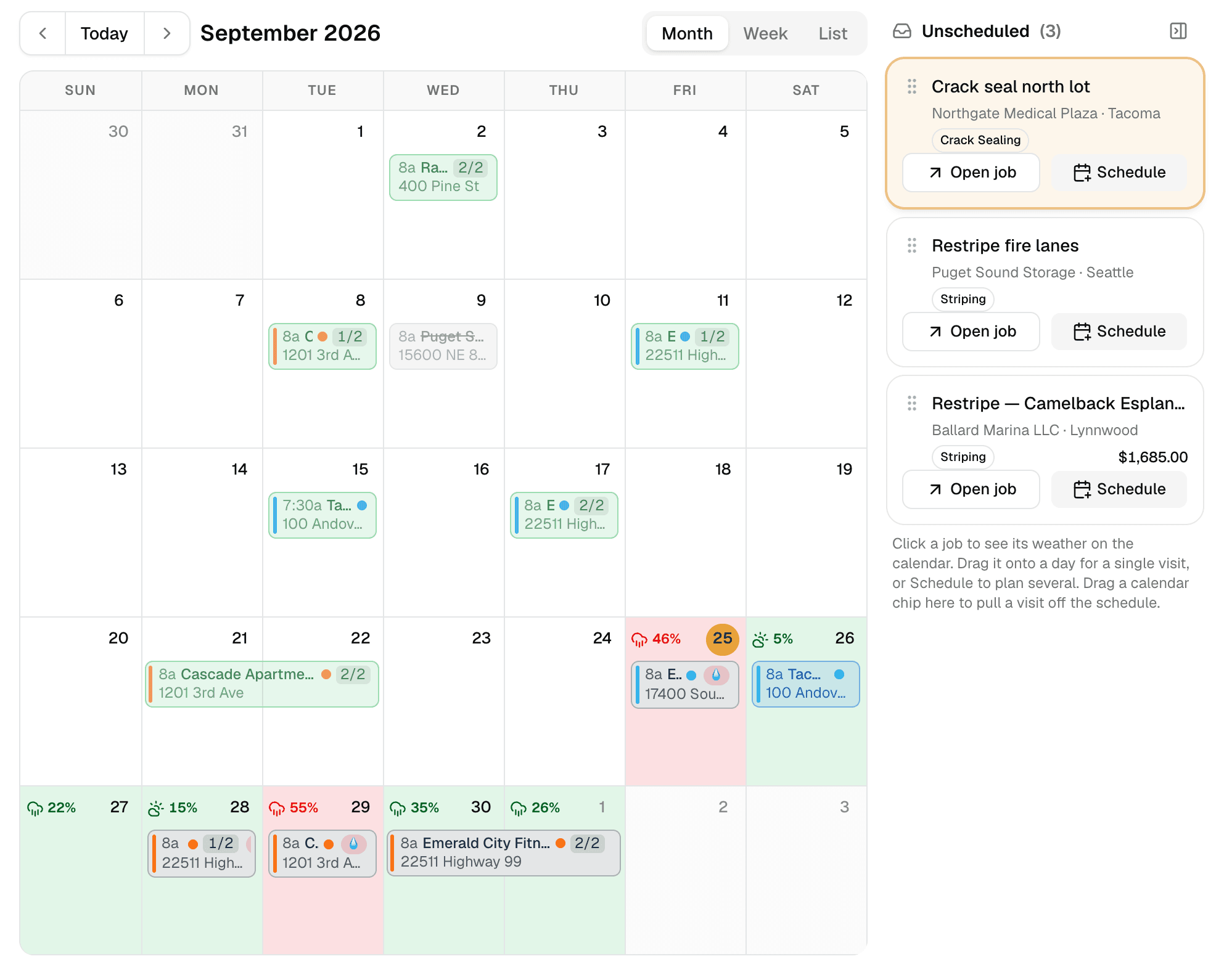
Weather-aware scheduling
A calendar that checks the forecast at every job site.
Learn more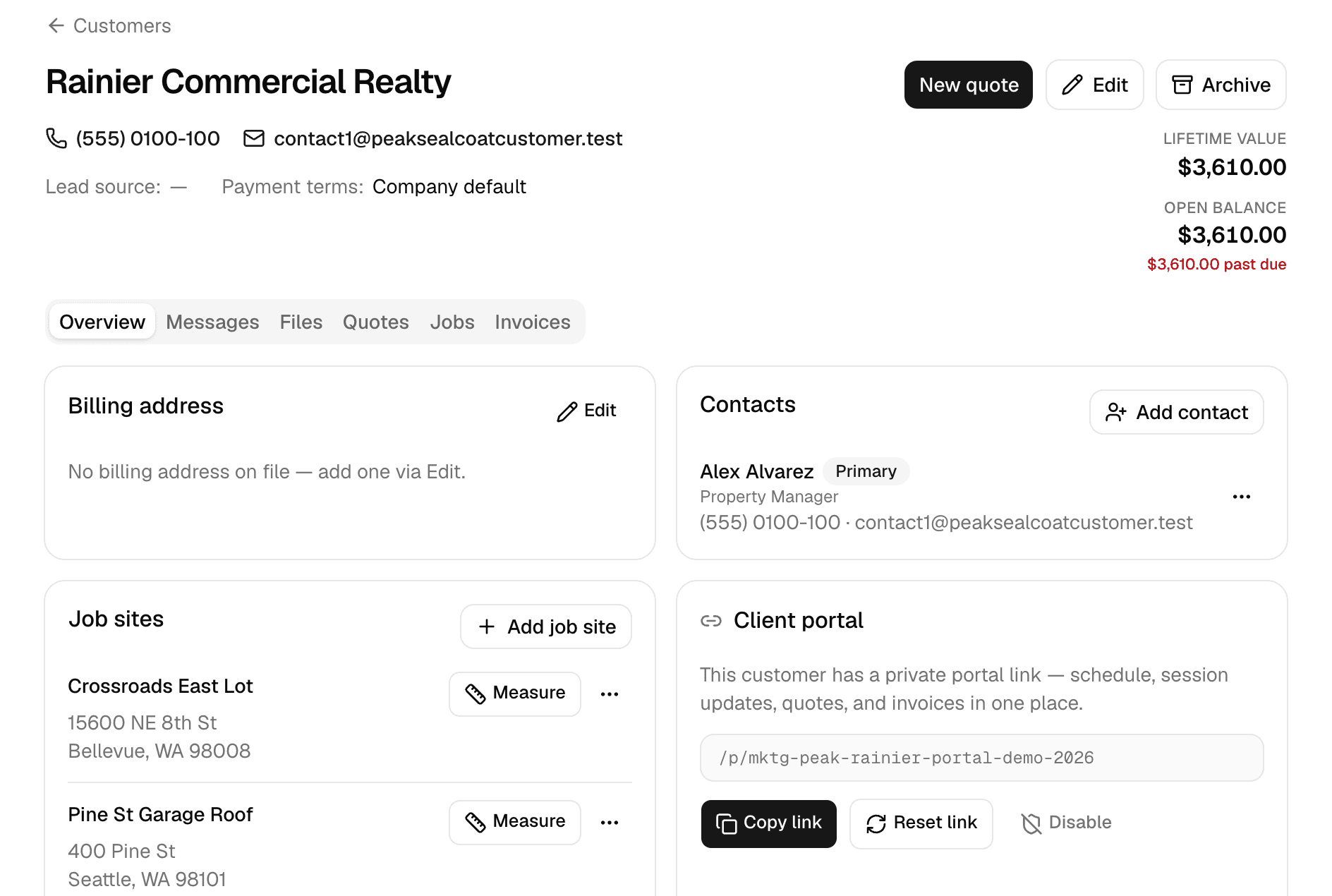
Customers
Every customer, every job site, and everything that happened there.
Learn more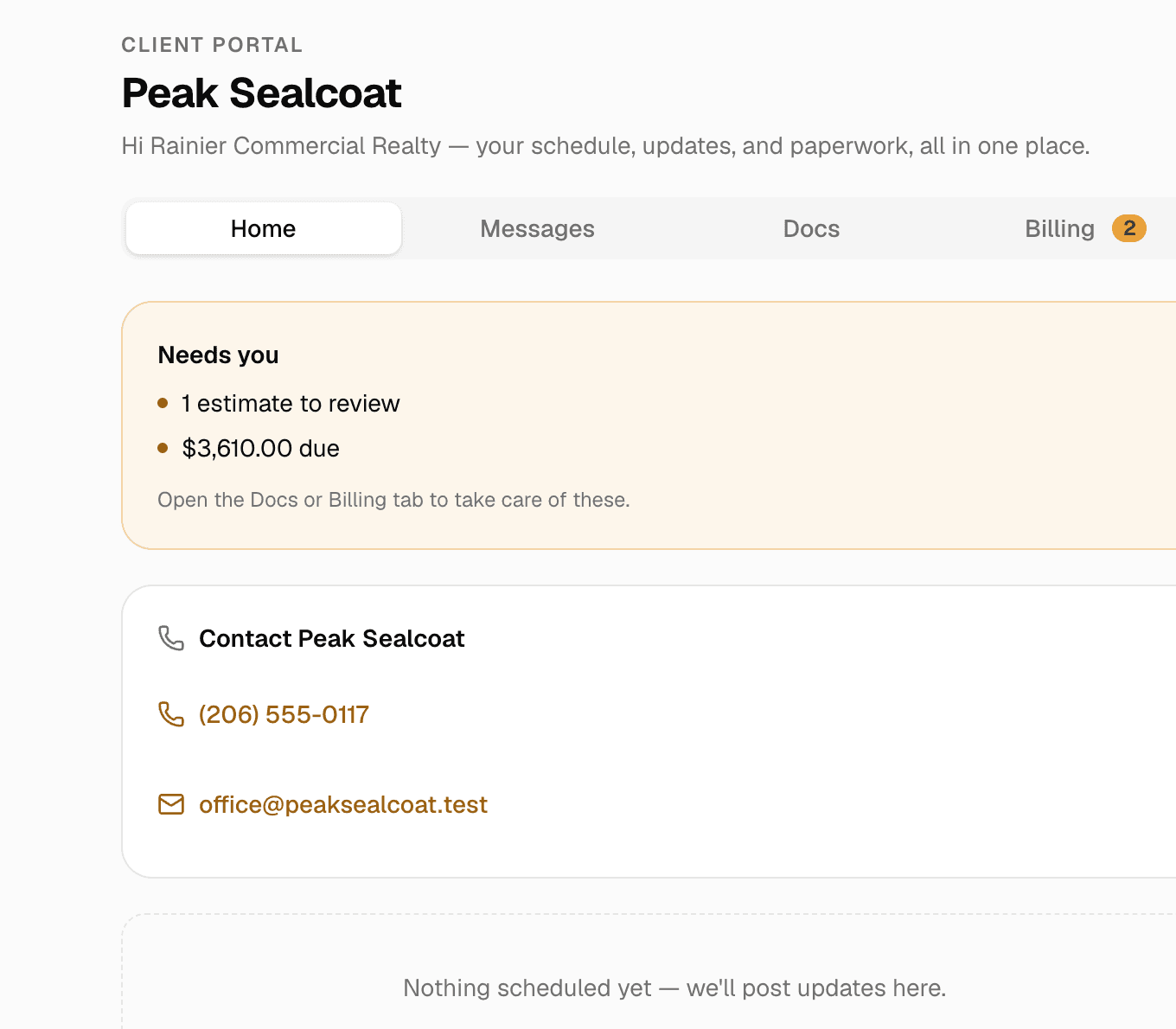
Client portal & e-signatures
One private link where customers see their quotes, invoices and visits, message you, and sign.
Learn more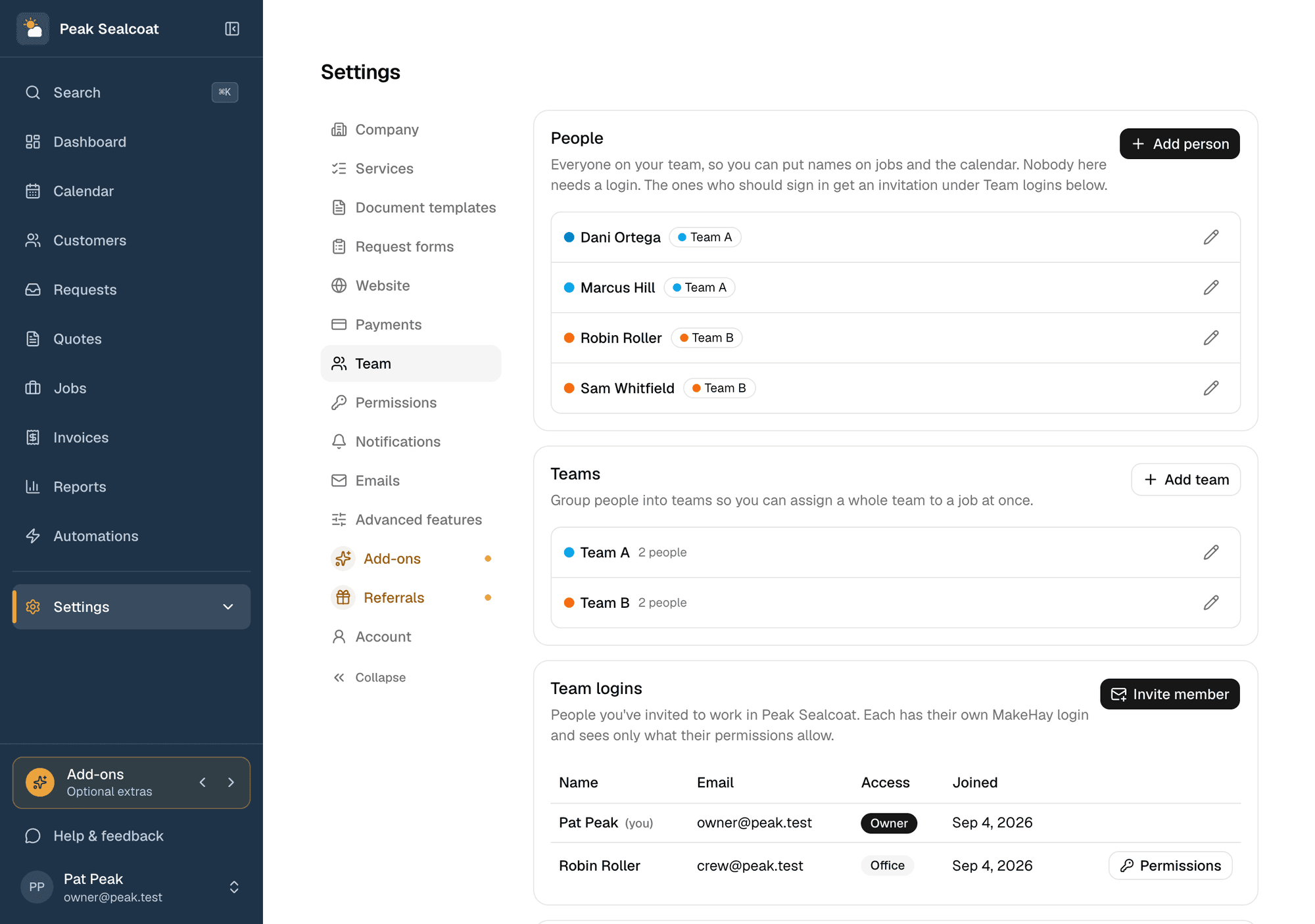
Team & permissions
Invite the office and the field team free, assign jobs, and decide who sees what.
Learn more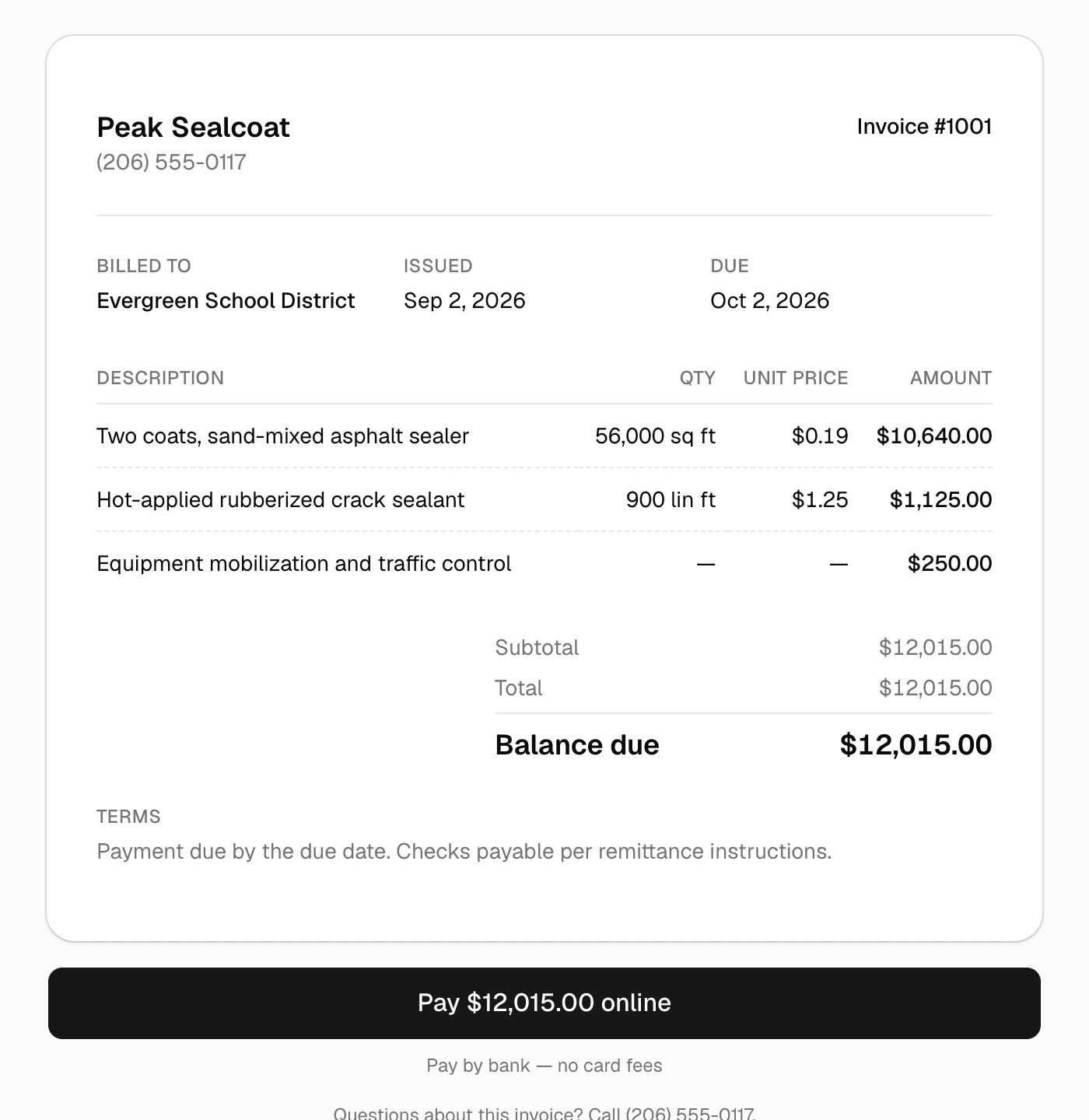
Invoicing & payments
Invoice in one click, get paid by card or bank transfer.
Learn more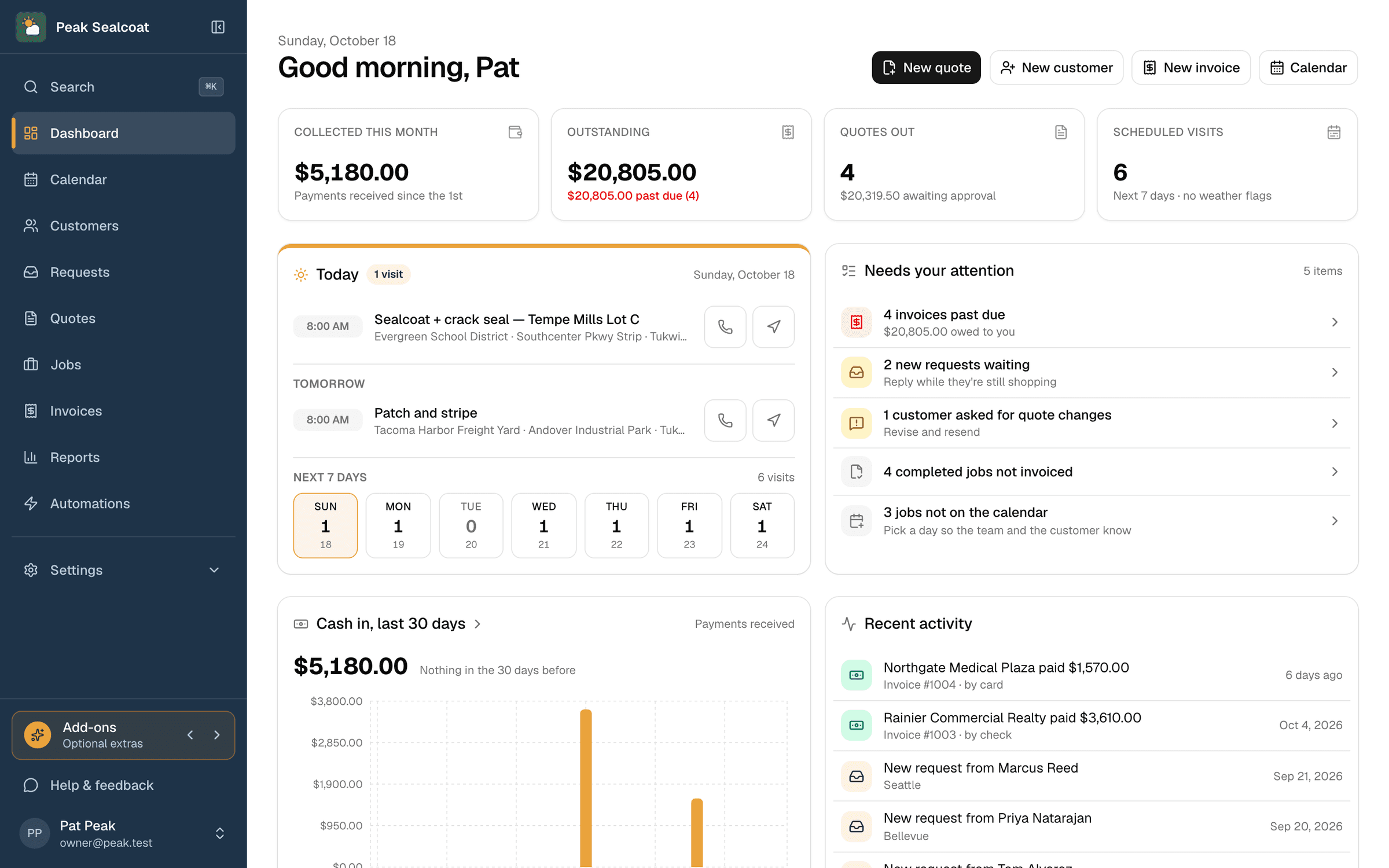
Dashboard & reports
What needs doing today, and how the business is doing this month.
Learn moreAll of it, free. Starting today.
No credit card, no trial clock. Set up in minutes and quote your first job this afternoon. It's all free: see pricing.
Free forever. No credit card. Set up in minutes.