Portal
"Where's my invoice?" They can see for themselves.
Every customer gets one private link, no password and no app. Upcoming visits, quotes to approve, invoices with balances, the photos you shared, the documents you asked for, and any contract waiting on their signature. They message you from there, with photos, and you answer from their customer page.
Free forever. No credit card. Set up in minutes.
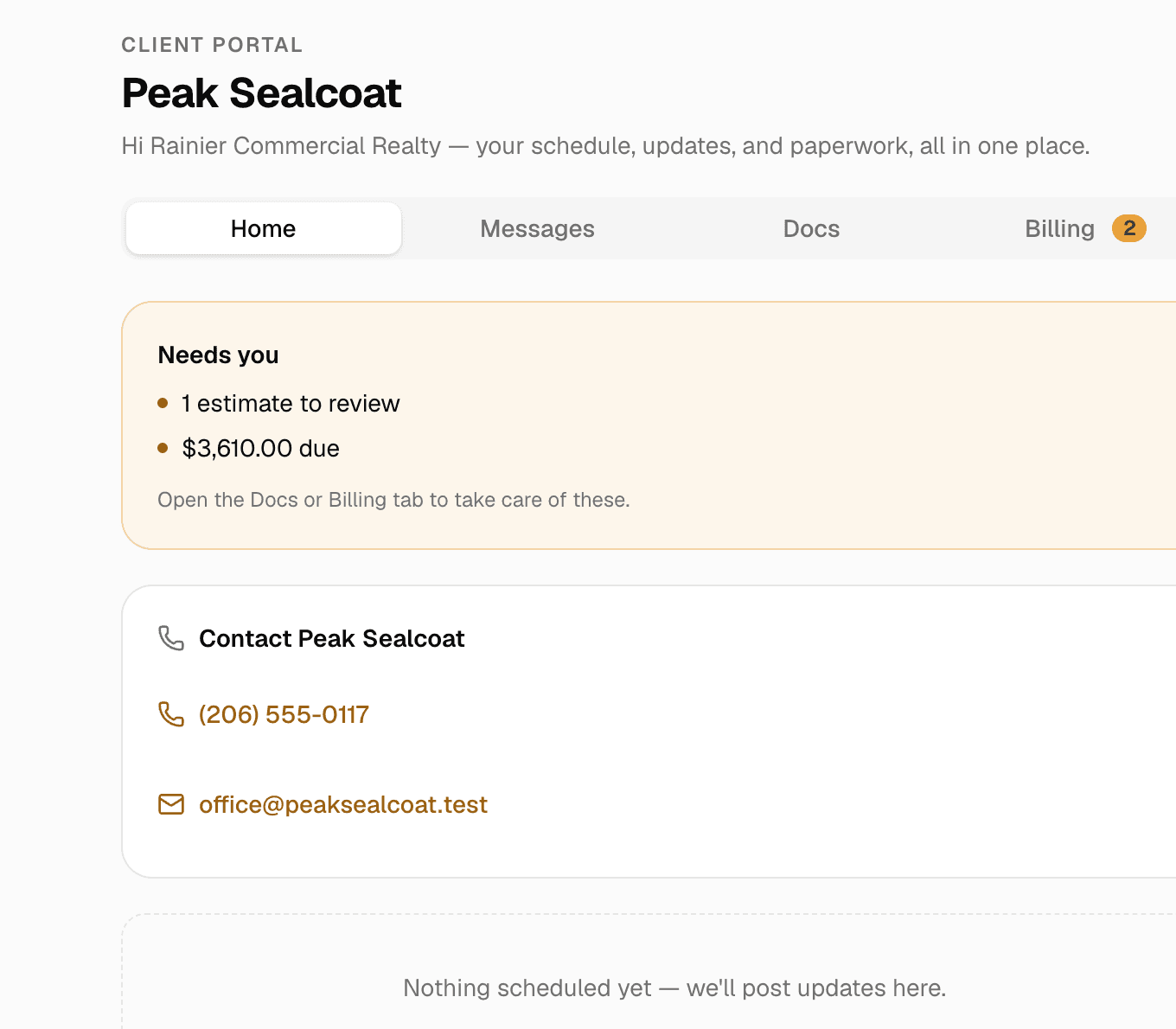
The portal from the customer's side: visits, billing, messages and documents on one link.
- No password, no app
- One private link per customer. Rotate or revoke it any time.
- Messages with photos
- Two-way, from the portal and from the customer page.
- Document requests
- Ask for the W-9 or the insurance certificate; approve or send back.
- E-signatures with an audit trail
- Typed or drawn, ESIGN and UETA, signed PDF stamped.
Sign from a phone
Contracts signed from an emailed link, with a paper trail.
Upload the contract under the customer's documents and send a signature request. The signer opens the emailed link on any device, reads the consent, and signs by typing or drawing. MakeHay records who signed, when, and from where, stamps the signed PDF, and files it with the customer's documents. Reminders go out if it sits.
- Typed or drawn signatures, on any device
- Audit trail: name, time, address and device
- The signed PDF, stamped and stored with the customer
- Signature reminders in your words
Photo attached: “Gate is unlocked, go ahead”
From the customer · 7:52 AM
COI 2026.pdf
Two-way
Messages and job updates that stay with the customer.
Send photos and a note from the job and the customer gets an email and a portal entry. They reply from the portal, with photos of their own, and the thread lives on their customer page with everything else. No more digging through texts to find what they said.
- Job updates with photos and video from the field
- Replies with photos, straight from the portal
- Unread messages flagged on your dashboard and customer list
Photo attached: “Gate is unlocked, go ahead”
From the customer · 7:52 AM
COI 2026.pdf
Billing they can see
Quotes to approve, invoices to pay, balances that add up.
The Billing tab shows every quote and invoice with its status and balance. Approving a quote and paying an invoice happen from the same secure links the emails carry, and a deposit paid at approval shows on the final bill.
- Every quote and invoice with its balance
- Pay by card or bank transfer from the portal
- Deposits credited where the customer can see them
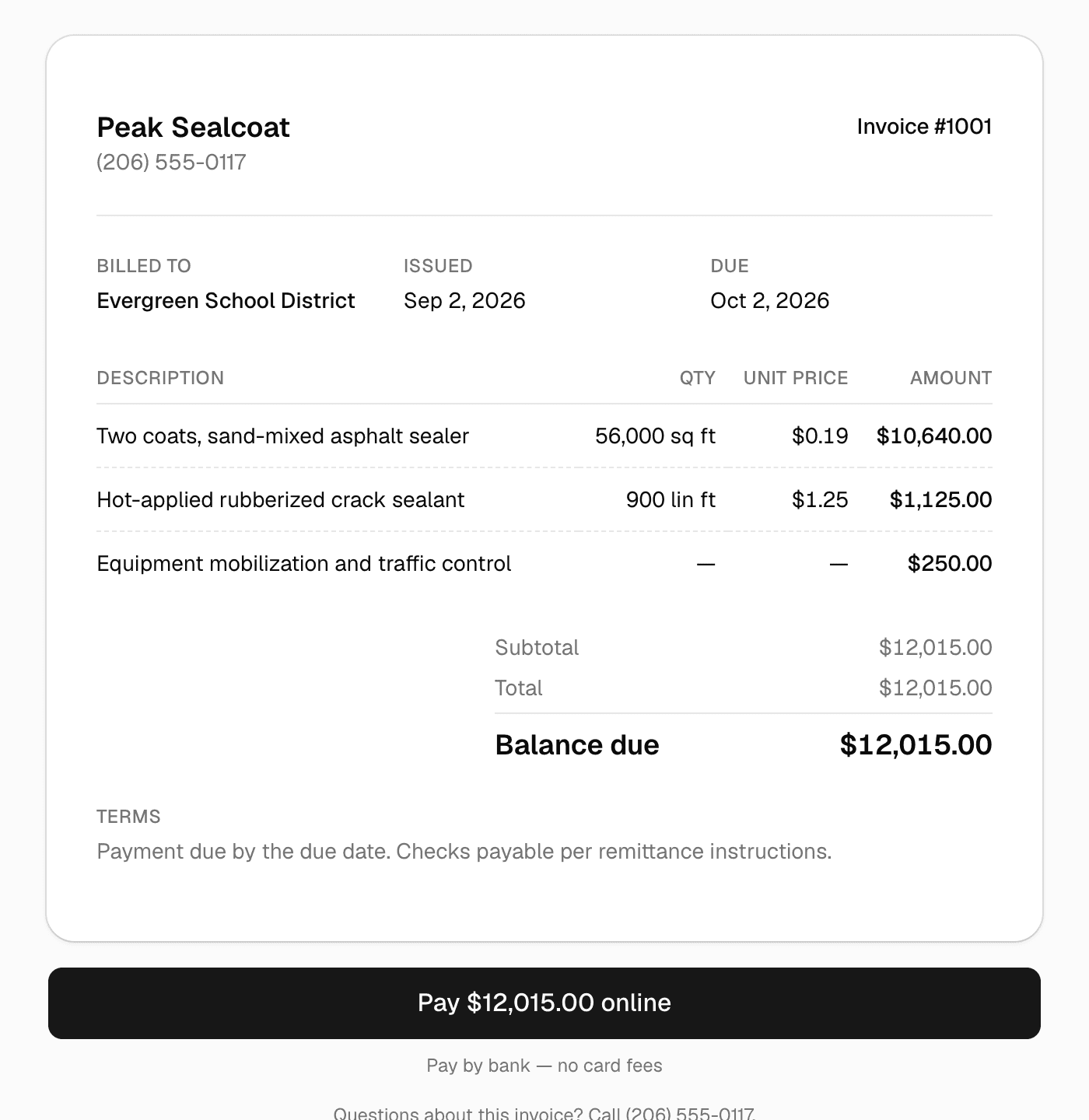
The invoice the customer sees, with the same Pay button the email carries.
Why businesses trust it
What every business gets, from day one.
Built to help small businesses grow
A lead form for your website, quotes customers approve from their phones, follow-ups that go out on their own, and a portal that answers "where's my invoice?" These are the tools the big platforms charge for, free, so the money stays in the business.
Straight pricing, no catch
$0 a month, every feature, no seat fees, no trial clock. The only charge is 0.75% on card and bank payments you choose to take online, and nothing if you don't.
A person answers
Every email MakeHay sends you is one you can reply to, and a person reads every reply. Missing a unit, a step, a trade? Say so.
FAQ
Common questions
Do my customers need an account or a password?
No. Each customer has one private link. Send it once and they can come back to it any time. You can rotate or revoke the link from their customer page.
Are the e-signatures legally binding?
They are electronic signatures under ESIGN and UETA: the signer consents, signs by typing or drawing, and MakeHay records the name, time, address and device on an audit trail and stamps the signed PDF. Quotes still approve with one tap; contracts get the full signature.
Can customers send me documents?
Yes. Request the documents you need and the customer uploads them from the portal. You approve each one or send it back with a reason, and they see the status.
Which emails does the portal send?
Files shared, document requested, document sent back, signature request, signature reminder, signed copy, new message, and job update. Every one of them has its subject and opening editable under Settings › Emails.
More of MakeHay
It all works together.
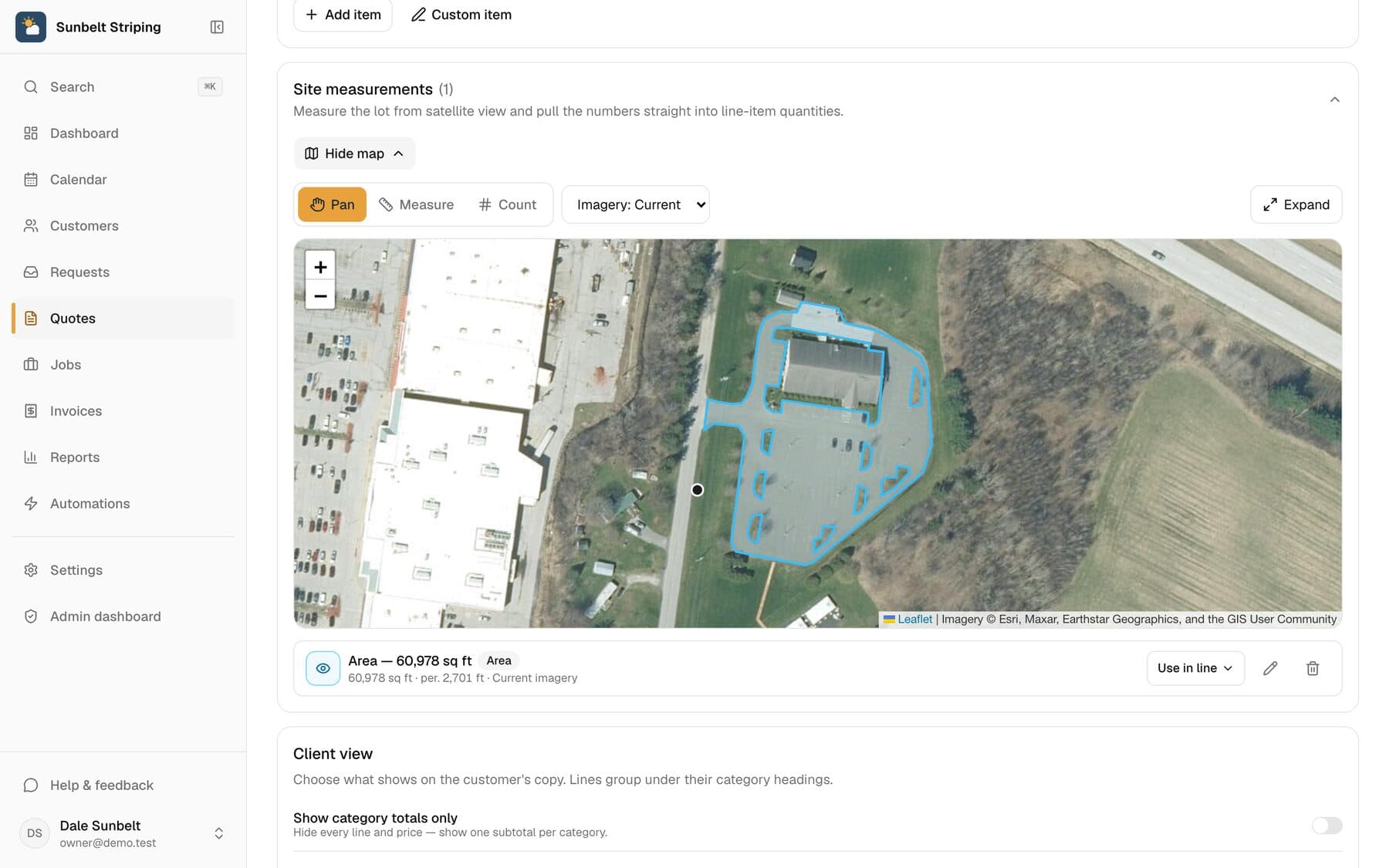
Satellite measurement
Measure any site from your desk: square feet, linear feet, stalls.
Learn more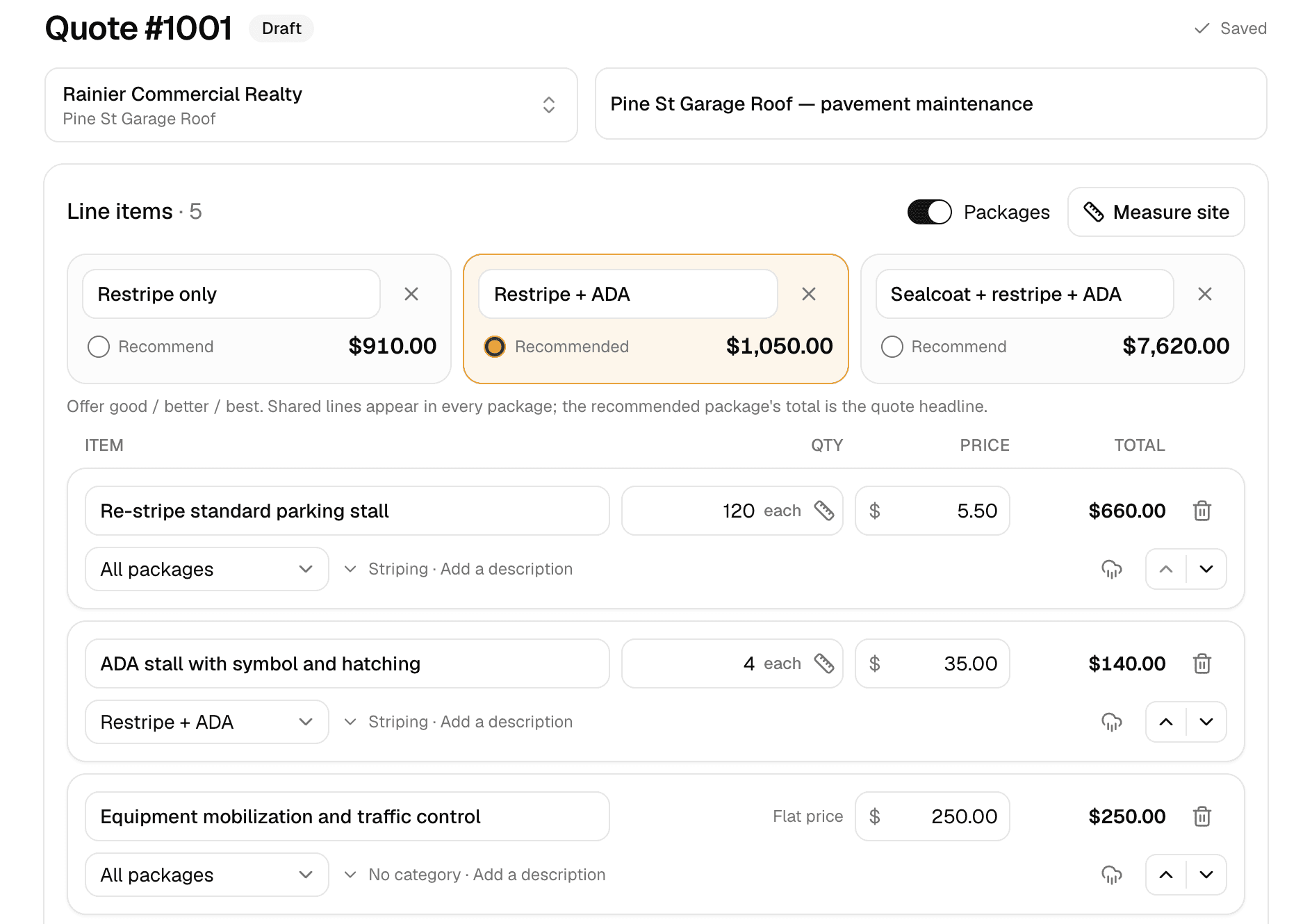
Quoting
Good/better/best quotes your customer approves online.
Learn more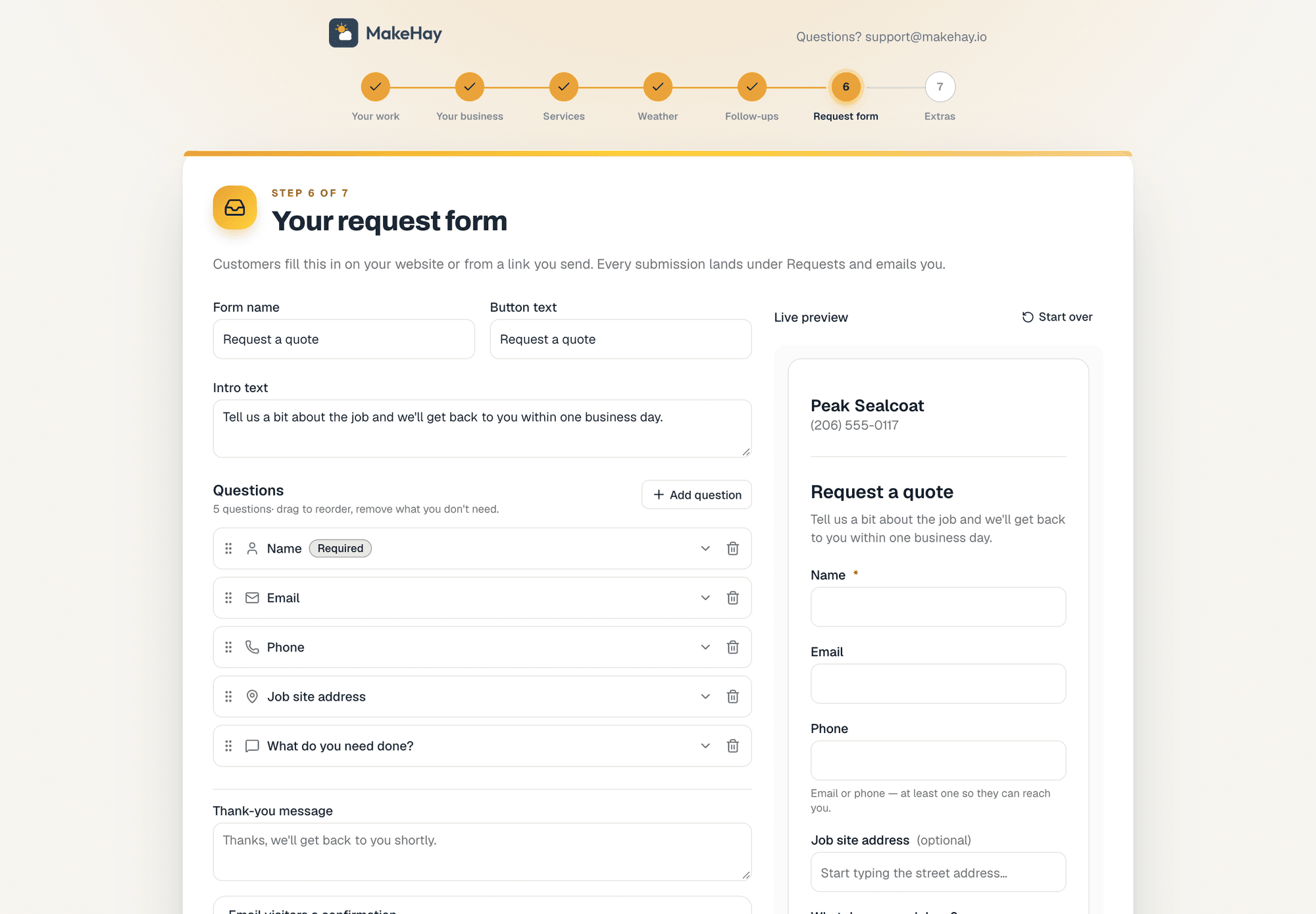
Request forms
A quote-request form for your website, or a link when you don't have one.
Learn more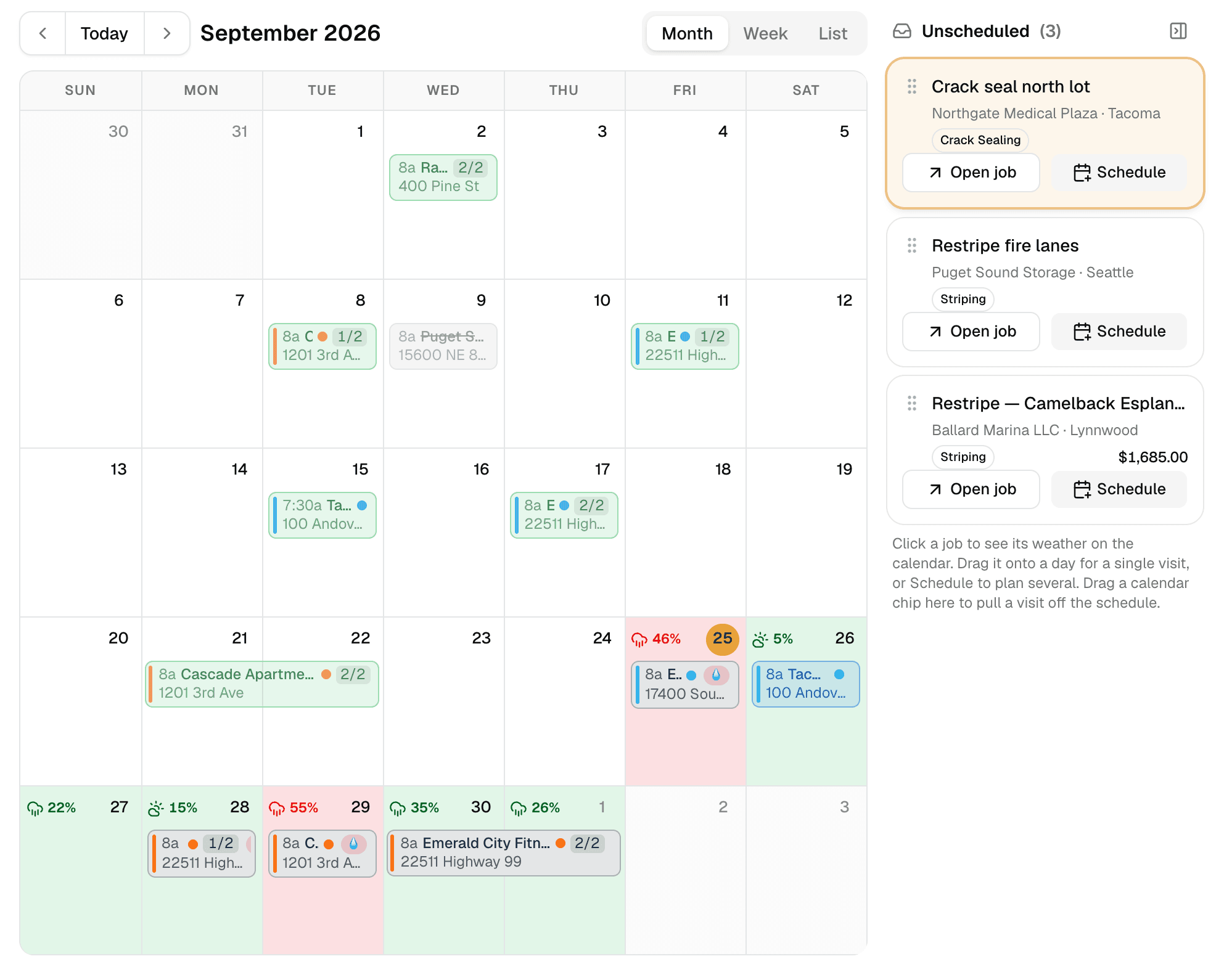
Weather-aware scheduling
A calendar that checks the forecast at every job site.
Learn more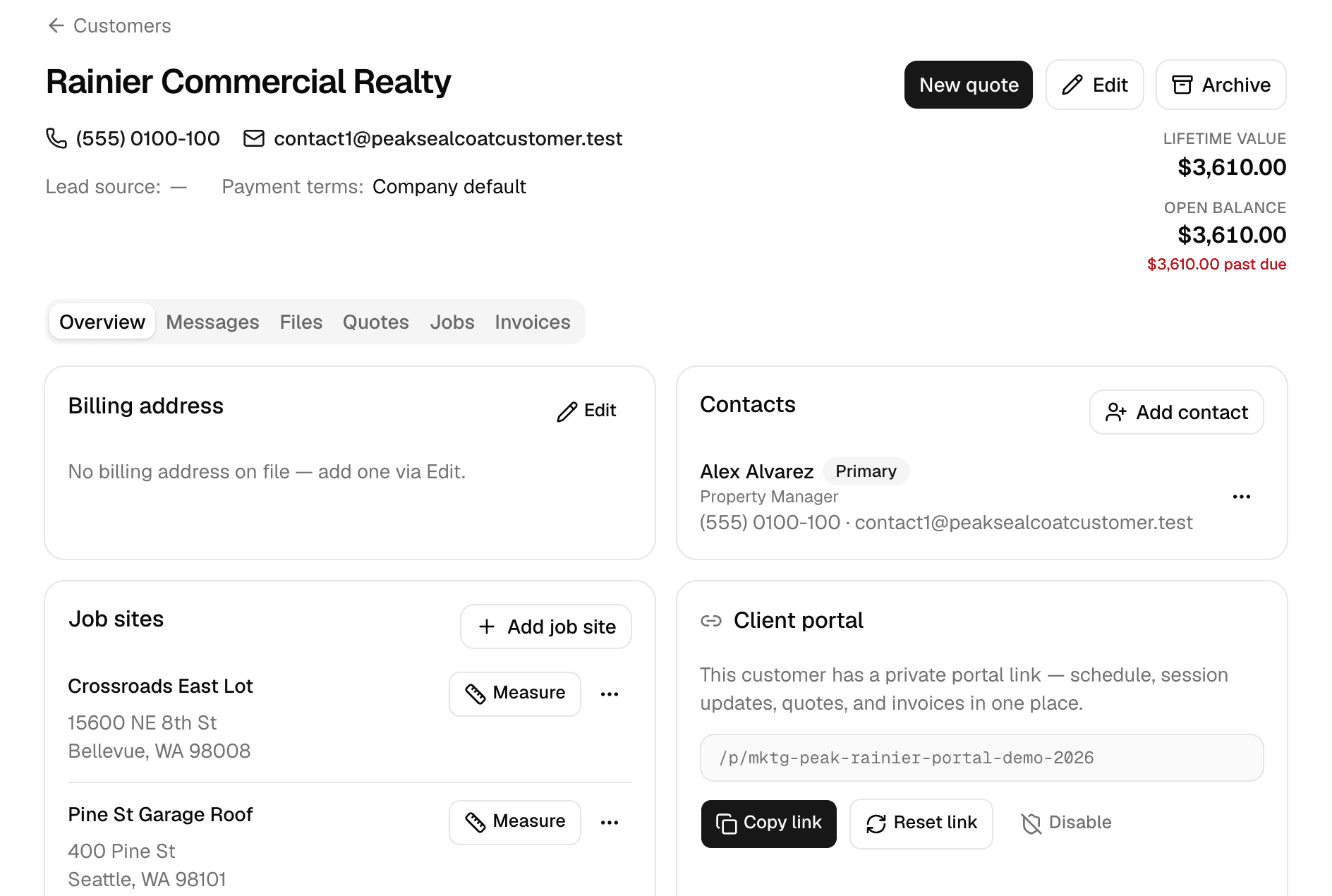
Customers
Every customer, every job site, and everything that happened there.
Learn more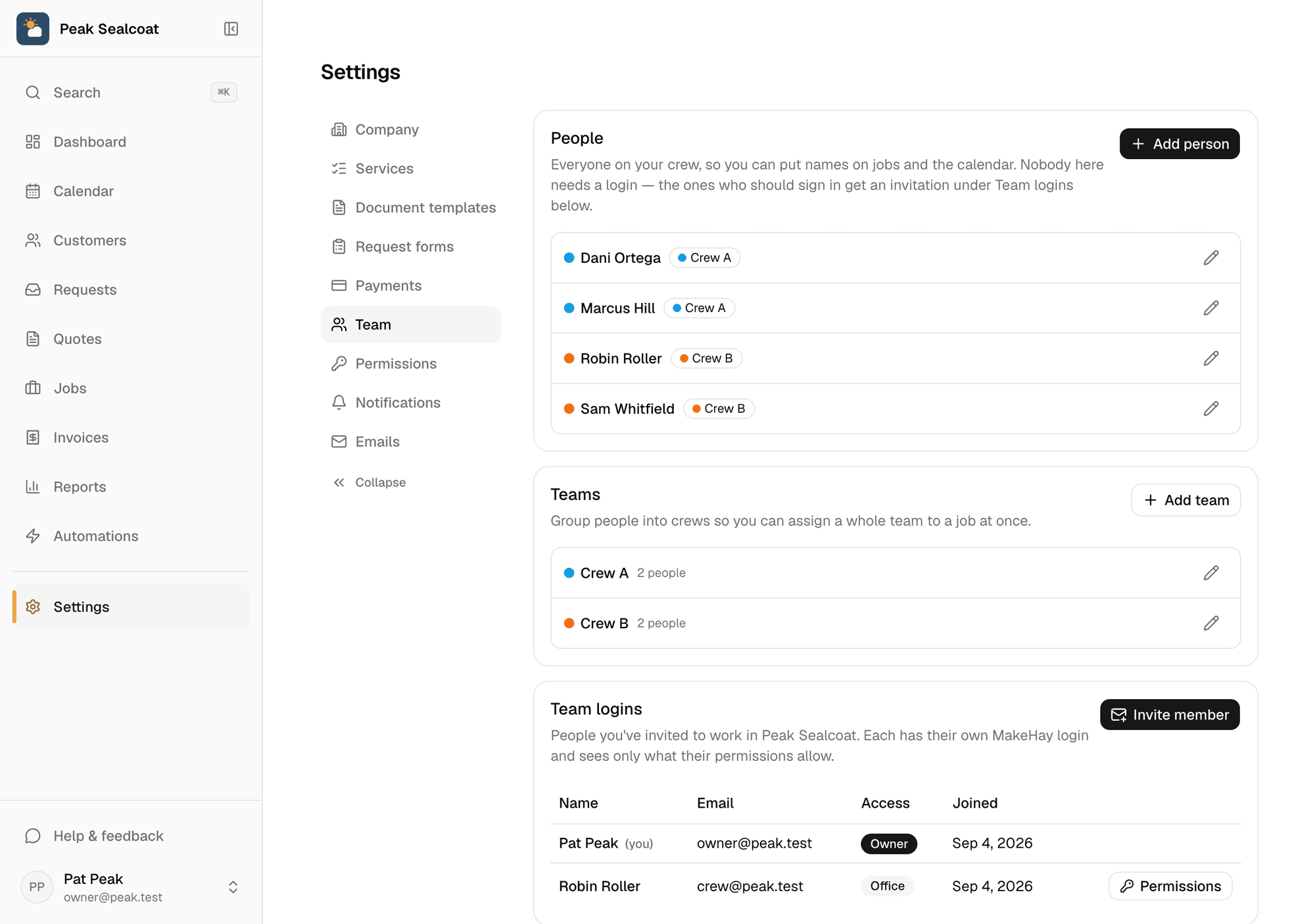
Team & permissions
Invite the office and the crews free, assign jobs, and decide who sees what.
Learn moreInvoicing & payments
Invoice in one click, get paid by card or bank transfer.
Learn more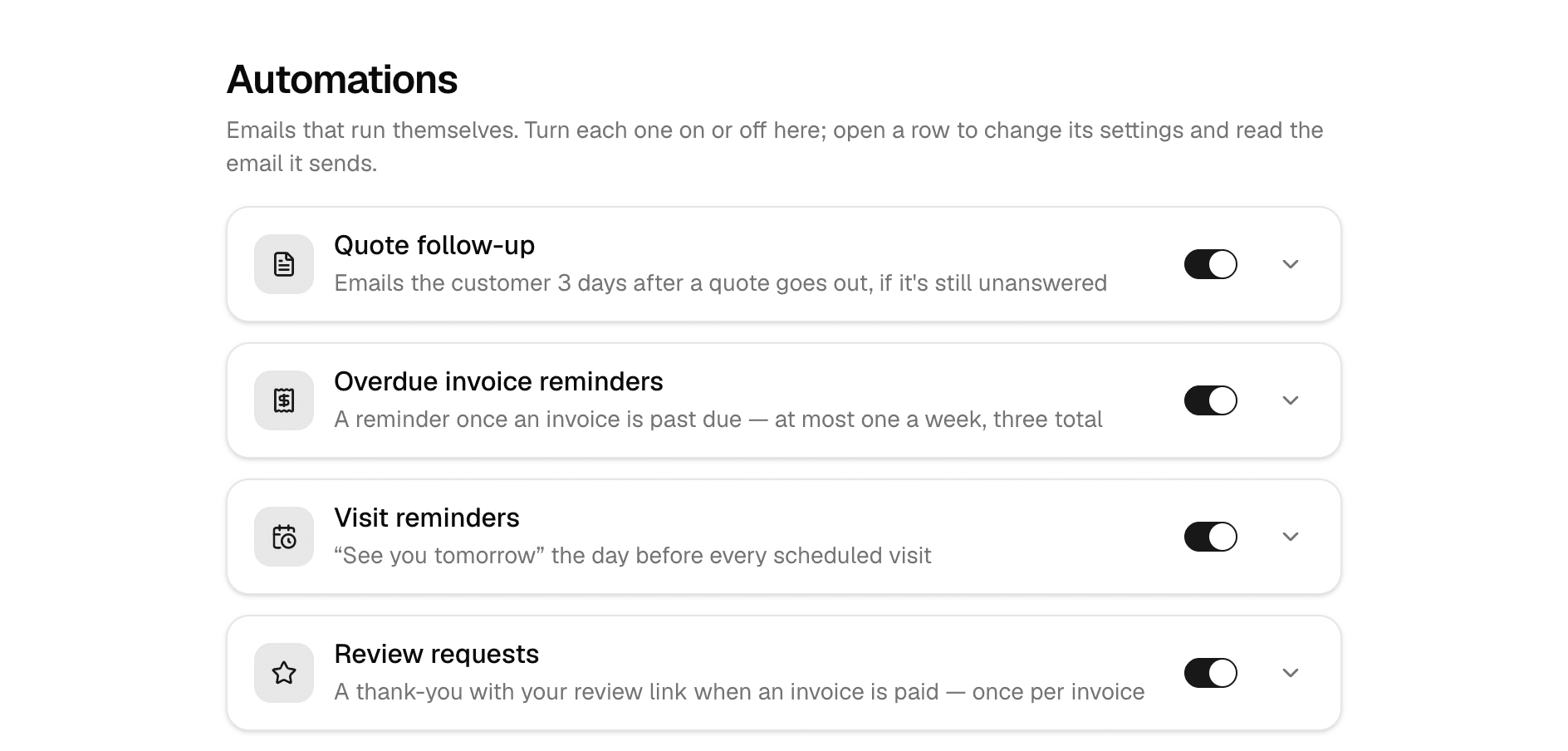
Automations
Follow-ups, reminders, and review requests that send themselves.
Learn more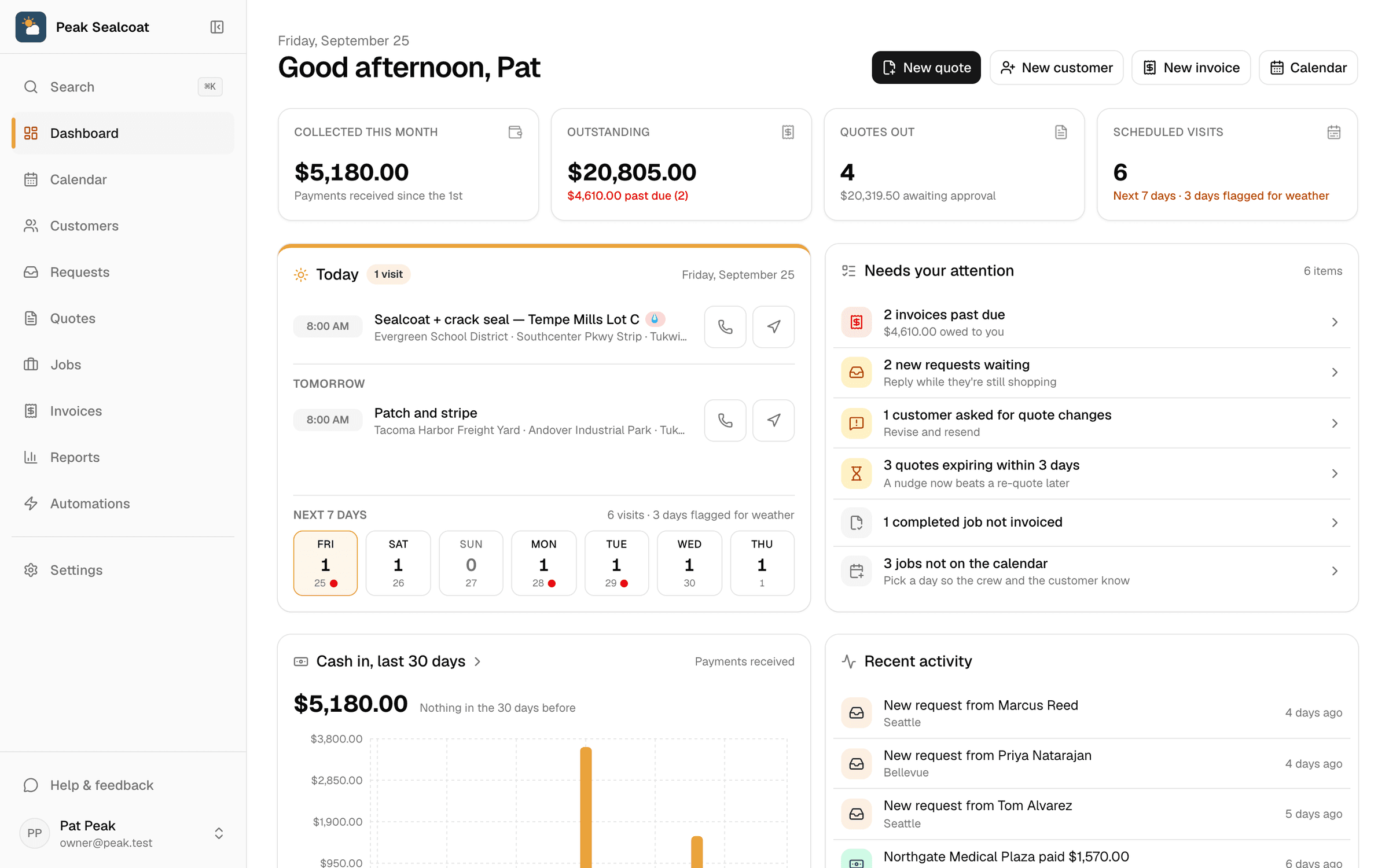
Dashboard & reports
What needs doing today, and how the business is doing this month.
Learn moreAll of it, free. Starting today.
No credit card, no trial clock. Set up in minutes and quote your first job this afternoon. It's all free: see pricing.
Free forever. No credit card. Set up in minutes.