What Pages a Contractor Website Needs (and What to Skip)
What pages a contractor website needs: a home page, one page per service, one per town, about, photos, reviews and a contact page with a request form.
The MakeHay team · · 11 min read
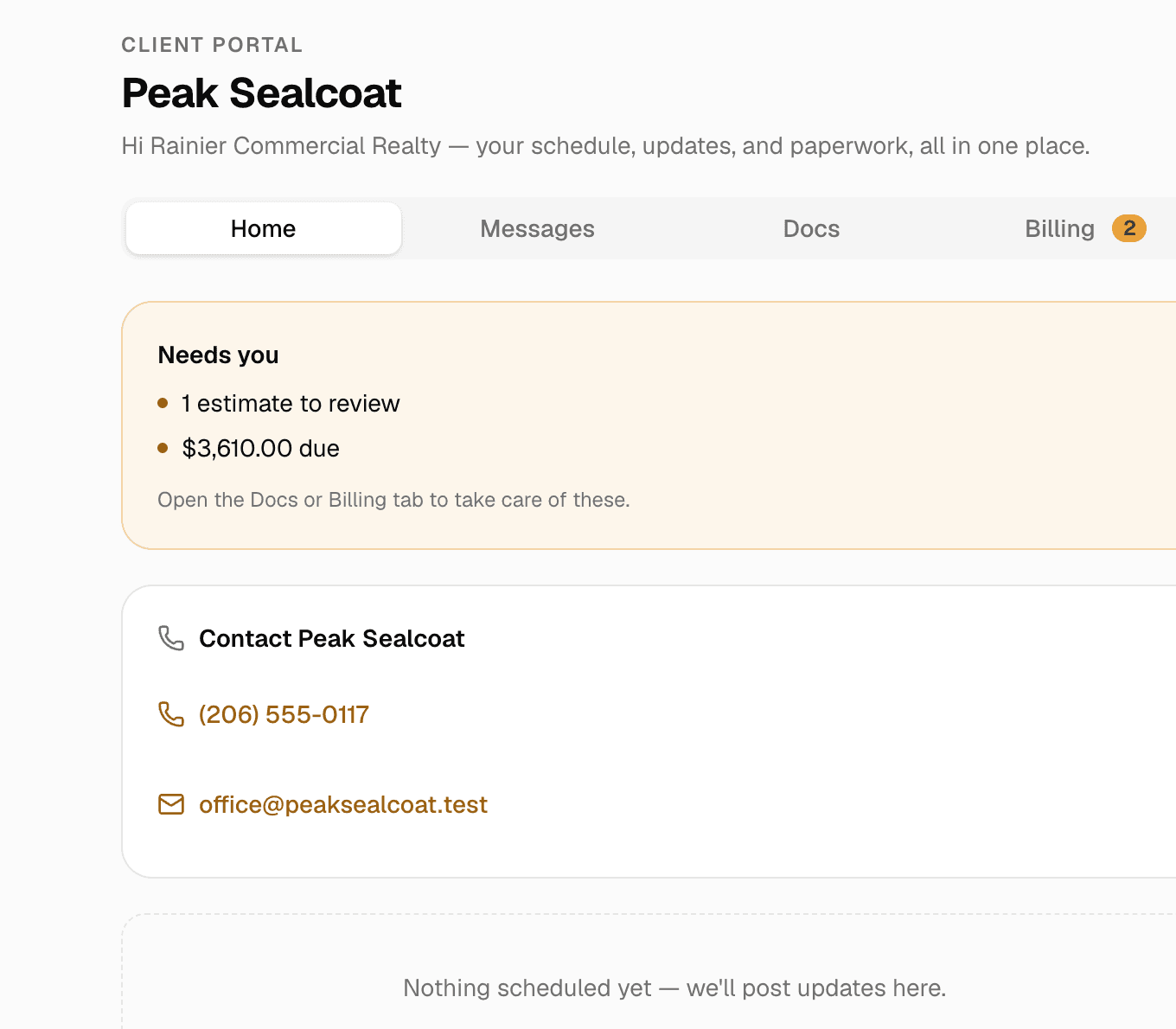
A contractor website needs seven kinds of page: a home page, one page per service, one page per town you serve, an about page, a photo page, a reviews page and a contact page built around a request form. Everything else is optional, and a few common additions (a blog nobody updates, stock photos, a placeholder page) cost more than they return.
Why a phone screen decides the page list
Pew Research Center's mobile fact sheet puts smartphone ownership at 91 percent of American adults in its 2025 survey, and 16 percent own a smartphone but have no home broadband, so the phone is their only way online. And Google's mobile-first indexing guide says Google uses the mobile version of a site's content, crawled with the smartphone agent, for indexing and ranking; it recommends responsive design and warns that a mobile page carrying less than the desktop page can lose traffic. So the phone number dials on tap at the top of every page, a request button sits on every page, and nothing scrolls sideways.
Contractor website homepage: what you do, where, and one button
The home page answers three questions on the first screen: what you do, where, and how to reach you. A headline that names the trade and the area (sealcoating and crack filling in Chandler and the East Valley), the phone number, and a button that opens the request form. Below that: the services, each linked to its page, a few photos of your own work, two or three review excerpts, and the towns you serve, each linked to its page.
Google's title link guide says the title shown in results is generated automatically from the title element, the main heading, other prominent text and links to the page, and that a vague descriptor like Home for a home page is one to avoid. Name the trade and the area in the title element, add the business name after a delimiter, and keep it short enough to survive a phone-width result.
Service pages for contractors: one page per service
One service per page, because each service is a different search. Parking lot striping, sealcoating and crack filling are three queries, and a page that covers all three can be titled for none of them. Google asks for distinct title text on each page and calls long titles that vary by one detail bad; its snippet guide asks for a meta description that fits the specific page and reads like a pitch, says identical descriptions on every page are not helpful, and says one made of a string of keywords is less likely to be shown.
- What the service is, in plain words, and what is included and what is not: edge trimming, two coats, moving cars, hauling debris.
- How it is priced (per square foot, per linear foot, per stall, per visit) and what changes the price.
- When it is done: the season, the weather it needs, how long the surface stays closed.
- Photos of that service on jobs you did, and a request button.
Write it like someone who has done the work. Google's guidance on helpful content asks whether a page shows expertise that comes from having actually used a product or service, offers original information rather than restating other sources, and exists to help the visitor rather than to attract search traffic. A paragraph on why a lot gets two coats, written by the person who sprays them, is exactly that. For a service priced by area, say how you measure and link the free satellite measurement tool.
Service area pages: one page per town you drive to
Your Google Business Profile already lists where you work: Google's help page for service-area businesses says you can set up to 20 areas by city, postal code or similar, not as a radius, within roughly two hours' drive of your base. The profile holds the list of towns; the website is where each town gets a page, because the profile has no room for one.
A town page earns its place with things that only apply there: the services you offer in that town, a real job you did there with a photo and the neighborhood (with the customer's permission), and the local detail a visitor cares about, like the town permit for a lane closure or where the millings go. The same page with the town name swapped is the micro-boilerplate Google's title guide describes.
Google says local results are mainly based on relevance, distance and popularity, and that prominence, how well known a business is, rests partly on how many websites link to your business and how many reviews you have. How the pieces fit is in local SEO for contractors.
About, photos and reviews: the proof pages
About: the people who show up
A photo of the crew and the trucks, first names, how long you have been at it, where you are based, and your license number and insurance in a line each. Google's helpful-content guidance counts clear sourcing and background about the author toward trust; for a contractor, the background is the people and the equipment. Skip the mission statement.
Photos: your own jobs, named and described
Before and after pairs from your own jobs, each with a line that says what was done and where. Google's image guidance calls the alt attribute the most important piece of image metadata, asks for information-rich alt text, and says filenames give light clues, so chandler-lot-restripe.jpg beats image1.jpg. ADA.gov lists a missing text alternative on an image among its barriers too.
Reviews: Google's, repeated on the site
Google's local ranking page says more reviews and positive ratings can help a business's local ranking, and that replying shows you value customer feedback. The reviews page shows the Google reviews you already have, with dates and first names, and links to the profile for the rest. How to ask within the rules is in how to get Google reviews as a contractor.
Contractor website contact page: a request form first
A phone number serves the person who calls. The person reading at nine at night fills in a form, and the form decides whether you can quote without a visit. Ask for the name, phone and email, the job site address (not only a billing address), the service, photos of the surface, and a box for anything else. ADA.gov's web guidance lists forms without field labels, clear instructions or error messages a screen reader can announce among the barriers that keep people out, and gives red text alone marking the required fields of a form as an example of information carried by color only.
The same page carries the hours and the towns served, and the street address only if customers come to it. Google's profile guidelines say a business that serves customers at their locations and has no storefront should hide its address on the profile; a street address on the site that is hidden on the profile is a mixed signal, so show the town instead.
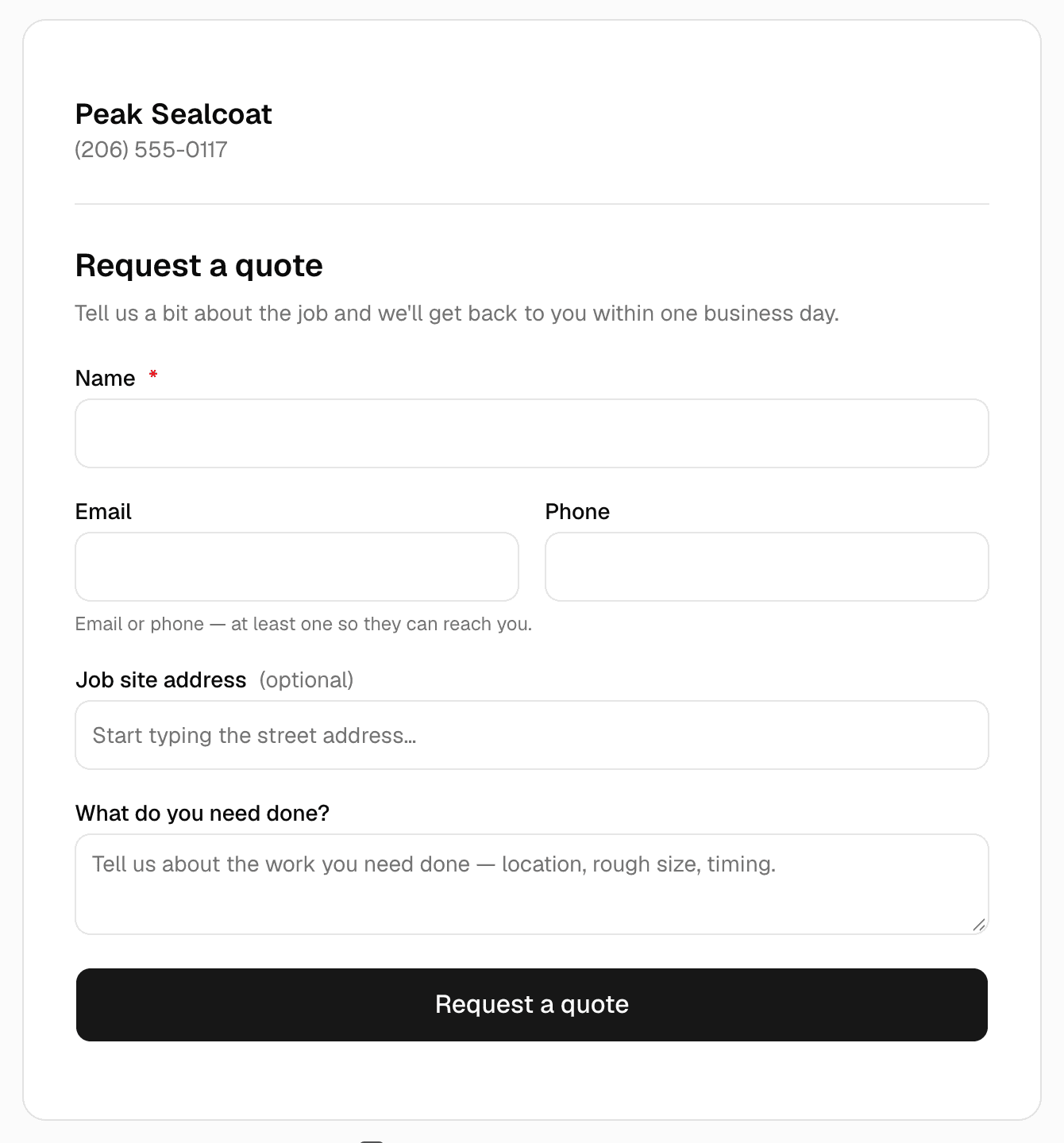
In MakeHay, the request form embeds on any website or goes out as a link. A request lands in Requests with the customer's details, photos and the job site address, the owner is emailed, and a request with an address can start a draft quote in one tap. After pasting it in, check that it is working.
The parts of every page a visitor never reads
Three things in the code of every page decide how it shows in search. The first is LocalBusiness structured data: Google's reference requires the business name and address, recommends the phone number, the page's URL, map coordinates, a price range and opening hours, and says Search may show a prominent knowledge panel for a business with that data; it should match on the mobile and desktop versions of a page.
The second is a title element and a meta description written for that page, covered above. The third is page experience: Google's guide asks whether pages are served over HTTPS, display well on a phone, avoid intrusive interstitials (the popup that covers the screen before the visitor has read a word) and score well on Core Web Vitals, which it says its ranking systems use.
MakeHay's Website add-on builds a site along these lines from your account: a person at MakeHay makes the site from a short questionnaire and your photos, with a page per service and per town, the request form as the contact page, and your phone, email, address, hours and logo from Settings. Hosting and HTTPS are included, a domain is free for the first year, and your Google reviews show on the site and refresh weekly. After the first version the editor is yours. It is $197 a month or $1,970 a year; details on the websites page.
What to leave off a contractor website
- A blog you will not keep up. Google's helpful-content guidance asks whether a page exists to help visitors or to attract search visits; a post dated years ago answers that for you.
- Stock photos. A visitor can tell a rented crew from yours, and Google's guidance on first-hand experience points the same way.
- A placeholder page. A page that says the site is on its way gives Google nothing to index and the customer a reason to call the next name in the results.
- A page per keyword with the same text: the micro-boilerplate the title guide warns about.
- A popup over the first screen, which the page experience guide calls an intrusive interstitial.
- Menus that only work with a mouse, required fields marked by red text alone, and light gray text on a light background: three of the barriers ADA.gov lists.
Good to know: ADA.gov's web guidance names businesses open to the public and points to the Web Content Accessibility Guidelines. This is general information, not legal advice; ask a lawyer what applies to your business.
The Monday checklist
- Step 1: Write the page list: home, one line per service, one per town, about, photos, reviews, contact, each with a title that names the service or town and the area.
- Step 2: Pull photos of your own jobs off your phone, name each file by the job and the service, then write each service page and each town page around them.
- Step 3: Build the request form with the job site address and photo upload.
- Step 4: Copy the business name, phone, hours and service area exactly as they appear on your Google Business Profile, which Google asks to match the business as it is consistently represented in the real world.
- Step 5: Open every page on your phone, tap every button, and send yourself a request. What to do with it is in how to get more leads for a contracting business.
FAQ
Does a contractor website need a blog?
No. A blog helps only if you will keep writing pages that answer questions customers ask, from your own jobs. Google's helpful-content guidance asks whether content exists to help the visitor or to draw search traffic. A service page that explains why a lot gets two coats does more than a feed nobody updates.
How many pages should a contractor website have?
Home, about, photos, reviews and contact, plus one page for each service and one for each town you serve. A sealcoater with three services in four towns ends up with twelve pages. Fewer usually means two searches are sharing a page.
Should a contractor website show prices?
Only if you will keep them current the day they change. Otherwise say how each service is priced (per square foot, per linear foot, per visit) and what moves the price, and let the request form collect what a real quote needs. Google's LocalBusiness structured data has a price range field for a rough signal without a rate card.
Sources
- Mobile Fact Sheet (Pew Research Center) · States that 91% of U.S. adults own a smartphone and 98% own a cellphone of some kind, from a survey run February 5 to June 18, 2025, and that 16% of U.S. adults are smartphone-only internet users who own a smartphone but do not have home broadband, from a pooled analysis of the 2025 surveys. (accessed October 17, 2026)
- Mobile site and mobile-first indexing best practices (Google Search Central) · States that Google uses the mobile version of a site's content, crawled with the smartphone agent, for indexing and ranking; recommends responsive design; says a mobile page with less content than the desktop page may lose traffic; asks for the same structured data and the same alt text on mobile and desktop; page last updated December 10, 2025. (accessed October 17, 2026)
- Influencing your title links in search results (Google Search Central) · States that title link generation is completely automated and draws on the title element, the main visual title, headings and other prominent text, anchor text and WebSite structured data; asks that every page have a title element with distinct, descriptive, concise text; names vague titles such as Home, keyword stuffing, repeated boilerplate and long titles that vary by only one detail as problems. (accessed October 17, 2026)
- Control your snippets in search results (Google Search Central) · States that Google builds snippets mainly from a page's content and sometimes uses the meta description when it summarizes the page better; says descriptions are like a pitch and should describe the specific page; says identical or similar descriptions on every page are not helpful; says a description made of long strings of keywords is less likely to be displayed as a snippet. (accessed October 17, 2026)
- Google Images SEO best practices (Google Search Central) · Calls alt text the most important attribute of image metadata and asks for information-rich alt text in the page's context; says filenames give very light clues and recommends descriptive names over generic ones like IMG00023.JPG; asks that images sit near relevant text; says images are often the largest contributor to page size and should be optimized for speed without losing quality. (accessed October 17, 2026)
- Creating helpful, reliable, people-first content (Google Search Central) · Self-assessment questions that ask whether a page offers original information, reporting, research or analysis; whether it shows expertise that comes from having actually used a product or service; whether it carries clear sourcing and background about the author; and whether it exists primarily to help people who visit the site rather than to attract search engine visits. (accessed October 17, 2026)
- Understanding page experience in Google Search results (Google Search Central) · Self-assessment questions on Core Web Vitals, serving pages securely over HTTPS, displaying well on mobile devices, ad density and intrusive interstitials; states that Core Web Vitals are used by Google's ranking systems and that there is no single page experience signal. (accessed October 17, 2026)
- Local business (LocalBusiness) structured data (Google Search Central) · Lists name and address as required properties of LocalBusiness markup and telephone, url, geo coordinates, priceRange and openingHoursSpecification as recommended; states that Search may display a prominent Google knowledge panel for a business with this data. (accessed October 17, 2026)
- Service-area businesses on Google (Google Business Profile Help) · States that a service area can be set as up to 20 areas based on cities, postal codes or other areas, not as a radius; that the overall area should stay within roughly two hours of driving from the business; that a business which does not serve customers at its address should remove the address from its profile; and that a service-area business has one profile for the whole area it serves. (accessed October 17, 2026)
- Guidelines for representing your business on Google (Google Business Profile Help) · States that the profile must show the business as it is consistently represented and recognized in the real world across signage and stationery, with the address and service area accurate and precise; that a business which serves customers at their locations and has no storefront should hide its address; and that the website field must represent the individual business location. (accessed October 17, 2026)
- How to improve your local ranking on Google (Google Business Profile Help) · States that local results are mainly based on relevance, distance and popularity; that prominence means how well known a business is and is also based on how many websites link to a business and how many reviews it has; that more reviews and positive ratings can help local ranking; that replying to reviews shows a business values customer feedback; and that there is no way to request or pay for a better local ranking. (accessed October 17, 2026)
- Guidance on Web Accessibility and the ADA (ADA.gov, U.S. Department of Justice, March 18, 2022) · States that the ADA applies to businesses open to the public; lists poor color contrast (light gray text on a light background), color alone giving information (red text alone marking required form fields), missing text alternatives on images, videos without captions, forms without labels a screen reader can convey, clear instructions or error indicators, and mouse-only navigation as common barriers; points to the Web Content Accessibility Guidelines and the Section 508 standards; notes that newer rules for state and local governments were published April 24, 2024. (accessed October 17, 2026)