How to Get More Leads for a Contracting Business: 9 Ways
How to get more leads for a contracting business: nine channels for a small crew, from a Google Business Profile and reviews to a request form on the site.
The MakeHay team · · 10 min read
How to get more leads for a contracting business comes down to two things: being found by the people already searching, and being remembered by the people you already served. The nine channels below do that without an ad budget, and the first two matter more than many owners expect. BrightLocal's 2026 survey of US consumers found that 97 percent read reviews for local businesses and 68 percent will only use a business rated four stars or higher.
1. Google Business Profile for contractors: what Google ranks
Start with the free profile, because it is what the map results show for a search like sealcoating near me. Google says you can add or claim your business at no charge, and once the profile is verified, customers find the business on Search and Maps.
Google ranks local results on relevance (how well the profile matches the search), distance from the person searching, and prominence (how well known the business is, judged in part by its reviews and the sites that link to it). There is no way to pay for a better local ranking. Businesses with complete and accurate information are more likely to show up, so fill in every field and verify the profile.
- Name: the real name only. Adding towns, services or taglines is not permitted and can get the profile suspended.
- Categories: the fewest that describe the core business, as specific as possible (Paving contractor rather than Contractor).
- Address: if nobody visits the shop, remove it and set service areas. Google allows up to 20, within about 2 hours of driving time from the base; an approved edit can take up to 48 hours to show.
- One profile per business. Duplicates cause problems with how the information displays on Maps and Search.
- Hours, phone and the website link, kept current.
2. Ask every customer for a Google review, inside the rules
Reviews feed the prominence part of ranking and decide whether the person who found you calls. In BrightLocal's 2026 survey, 74 percent of consumers only care about reviews from the last three months, 80 percent are likely to use a business that responds to all of its reviews, and 28 percent always write a review when asked. So ask every time, right after the job, and answer every review.
Google gives each profile a review link and a QR code, and reviews show next to the profile in Maps and Search. Send the link the day you finish, while the fresh sealcoat is still the best thing that happened to the customer that week. The customer needs a Google Account, which can be set up with a non-Gmail address.
- No incentives. Google calls free or discounted goods or services in exchange for a review strictly prohibited and removes reviews posted because of one.
- No sorting. Google bars discouraging negative reviews or selectively asking likely-happy customers, and the FTC says asking only the customers you think will be happy would be misleading.
- No insiders. Reviews from employees, family or anyone with a conflict of interest are prohibited.
- No bought reviews anywhere. The FTC's rule on fake reviews and testimonials, announced August 14, 2024, bars paying for reviews conditioned on a positive or negative take and allows civil penalties.
Reply to every review, briefly, by name, without a promotion. For a bad one, Google's advice is to apologize when it fits, acknowledge the mistake without owning what was outside your control, and respond in a timely manner. More in how to get Google reviews as a contractor.
3. A website with a request form on every page
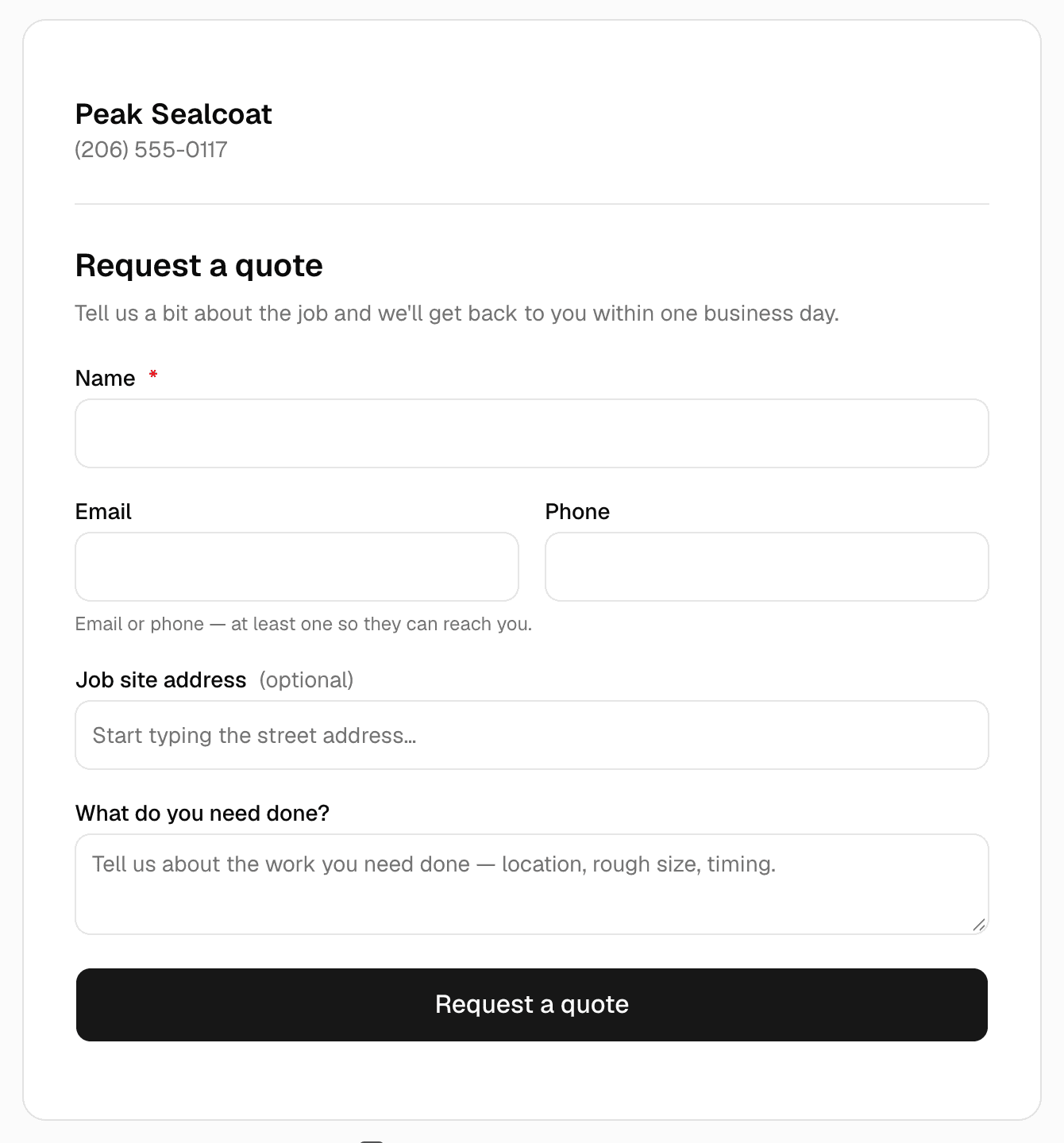
A profile holds the basics. A site is where the person who found you checks that you do their kind of work in their town, then sends the job. Build it around one action: a request form that asks for a name, a phone number, the job site address and a few photos, on every page. 91 percent of US adults own a smartphone and 16 percent get online only through one, so the form has to work with a thumb in a parking lot, and the phone number has to be tap-to-call.
A page per service and a page per town gives Google something to match a search against: the relevance factor above. Keep the name, address and phone identical to the profile. The rest is in what pages a contractor website needs and local SEO for contractors.
4. Yard signs and door hangers after every job
A freshly striped lot or a sealed driveway is an advertisement on its own; the sign tells the neighbors who did it. Ask permission on the quote, and put the service, the town, the phone number and the site address on the sign, in the same name and logo as the profile. Door hangers go to the houses on either side and across the street while the crew is still on site: those neighbors just watched the work happen.
5. A contractor referral program customers can repeat in one sentence
A referral costs nothing to get and arrives with the trust already built. In the same BrightLocal survey, 49 percent of consumers trust reviews as much as personal recommendations, which means a recommendation from someone the customer knows still sits at the top.
Make the ask specific and the thank-you simple: if you know another lot that needs striping, pass along this number, and a free touch-up or a credit on the next visit follows when the referred job is done. A reward for a referral is fine; a reward for a review is not, and saying so makes you look straight. Put the offer on the invoice and the door hanger.
6. Before and after photos from every job
Photos prove the work on the profile and the site, and they are the whole post on a neighborhood group. Google's photo guidance: JPG or PNG, between 10 KB and 5 MB, 720 by 720 pixels recommended, in focus, well lit, no heavy filters. Shoot the same angle before and after, in daylight, with the truck or the sign in one of them, and add a few to the profile every week.
If a customer appears in a photo or a line from them goes on the site, the FTC's endorsement guides apply: a testimonial has to reflect the person's honest opinion or experience, and anything given in exchange has to be disclosed.
7. Property managers, HOAs and the people who buy for many sites
One property manager controls more pavement than a street of homeowners and buys the same services every year. The pitch is a short visit, not a brochure: photos of a comparable property, a one-page price sheet in their units (per stall, per linear foot, per visit) and a response-time promise you can keep. Ask what the current vendor gets wrong; the answer tells you what to promise. HOA boards often take vendor presentations; the management company knows the dates. The paving company that does not stripe is a partner too: trade leads both ways, in writing.
8. Reminders for repeat service
Sealcoating, striping, gutter cleaning, fertilizing and plowing all come due again. Last season's customer is a lead with no acquisition cost, and many will not call until something looks bad or a competitor's hanger shows up first. Keep the date of the last visit and what was done, then send a plain reminder before the season opens, with a one-tap way to book.
In MakeHay, a customer record keeps the job sites, history and balance; recurring service puts the next visit on the calendar; and automations send quote follow-ups, invoice reminders and review requests by email on the schedule you set, each ending with an unsubscribe link.
9. Answer fast, every time
The lead lost most often is the one nobody answered. A person who fills in a form from the lot may be filling in two more, and the first contractor who replies with a real question (which crack is the worst, when is the lot empty) has the best shot at the visit. Set a rule the whole crew knows: every request gets a human reply the same day, every missed call a call back within the hour.
A MakeHay request form can be embedded on any website or shared as a link. A request lands in Requests with the customer's details, photos and the job site address, the owner is emailed, and a request with an address can start a draft quote in one tap. Quote tracking shows sent, viewed and approved.
Contractor lead generation: the Monday list
- Step 1: Fix the profile's name, category, service areas, hours and photos, and verify it.
- Step 2: Send the last ten customers the review link with one line of thanks; reply to every review already there.
- Step 3: Put the request form on every page of the site and test it from a phone.
- Step 4: Order signs and door hangers. One of each goes in every truck.
- Step 5: List the property managers and HOA management companies in the service area; book one visit a week.
- Step 6: Send last season's customers the reminder, with the referral offer at the bottom.
- Step 7: Decide who answers requests and by when, and write it where the crew can see it.
If the site is the part that never gets built, the MakeHay Website add-on is $197 a month or $1,970 a year: a person at MakeHay builds it from the account and the owner's photos, with a page per service and per town and the request form as the contact page. Details in get a website.
FAQ
What is the fastest way to get contracting leads?
Ask the customers you already have. A review request sent the day the job ends costs nothing and compounds on the profile; in BrightLocal's 2026 survey, 28 percent of consumers say they always write a review when asked. A referral ask on the invoice is next, then a reminder to last season's customers.
Should a contractor pay for leads?
Paid leads and ads can fill a slow week, and they stop the day the budget does, while a complete profile, a stack of reviews and a request form keep working. Fix the free channels first: a paid click that lands on a profile with three stale reviews is money spent on losing the comparison.
Can a contractor offer a discount for a Google review?
No. Google's policy prohibits payment, discounts or free goods or services in exchange for a review, a revised review or the removal of a negative one, and removes reviews posted for an incentive. The FTC's rule on fake reviews bars compensation conditioned on a review's sentiment and allows civil penalties. A thank-you for a referral is allowed; keep the two separate.
How many Google reviews does a contractor need?
Enough recent ones. In BrightLocal's 2026 survey, 47 percent of consumers will not use a business with fewer than 20 reviews, and 74 percent only care about reviews from the last three months, so a profile needs a steady trickle more than a big number from two years ago.
Sources
- Tips to improve your local ranking on Google (Google Business Profile Help) · States that local results are mainly based on relevance, distance and popularity, with the third explained under the heading Prominence; that prominence draws on information such as how many websites link to the business and how many reviews it has; that there is no way to request or pay for a better local ranking; that businesses with complete and accurate info are more likely to show up in local search results; that verifying tells Google you are authorized to represent the business. (accessed October 17, 2026)
- Add or claim your Business Profile (Google Business Profile Help) · States that you can add or claim your business at no charge, and that once the profile is added and verified, customers can find the business on Search and Maps. (accessed October 17, 2026)
- Guidelines for representing your business on Google (Google Business Profile Help) · States that a service-area business should hide its address; that including unnecessary information in the business name is not permitted and could result in suspension; to choose the fewest, most specific categories that describe the core business; that there should only be one profile per business because duplicates can cause problems with how information displays on Maps and Search. (accessed October 17, 2026)
- Manage your service areas for service-area and hybrid businesses (Google Business Profile Help) · States that a business can set up to 20 service areas by city, postal code or other area; that the boundaries of the overall area should not be more than about 2 hours of driving time from where the business is based; that approved service area edits may take up to 48 hours to show; and that a business which does not serve customers at its address should remove the address and enter only a service area. (accessed October 17, 2026)
- Tips to get more reviews (Google Business Profile Help) · States that reviews show next to the Business Profile in Maps and Search; that a business can share a review link or QR code; that customers must be signed in to a Google Account, which can be set up with a non-Gmail address; that offering free or discounted goods or services in exchange for posting, changing or removing reviews is strictly prohibited; and how to reply (keep it short, address the reviewer by name, no promotions, apologize when appropriate, respond in a timely manner). (accessed October 17, 2026)
- Prohibited and restricted content (Maps user-generated content policy, Google) · States that merchants may not offer incentives such as payment, discounts or free goods or services in exchange for a review, a revision or the removal of a negative review; may not discourage or prohibit negative reviews or selectively solicit positive reviews; and that reviews based on a conflict of interest, including current or former employment, are prohibited; reviews posted because of an incentive are removed. (accessed October 17, 2026)
- Local Consumer Review Survey 2026 (BrightLocal, published February 11, 2026; 1,002 US adult consumers) · Reports that 97 percent of consumers read reviews for local businesses; 68 percent will only use a business with four or more stars; 47 percent will not use a business with fewer than 20 reviews; 74 percent only care about reviews from the last three months; 80 percent are likely to use a business that responds to all reviews; 28 percent always write a review when asked; 49 percent trust reviews as much as personal recommendations (under the heading on the opinions of strangers). (accessed October 17, 2026)
- Mobile Fact Sheet (Pew Research Center, November 20, 2025) · Reports that 91 percent of US adults own a smartphone and that 16 percent of US adults are smartphone-only internet users, from a survey of 5,022 US adults conducted February 5 to June 18, 2025. (accessed October 17, 2026)
- FTC's Endorsement Guides: What People Are Asking (Federal Trade Commission) · States that only asking for reviews from customers who you think are more likely to be happy with your product would be misleading; that a reviewer who received a free or discounted product must disclose it; that incentives cannot be conditioned on positive reviews; and that endorsements must reflect the honest opinions or experiences of the endorser. (accessed October 17, 2026)
- Federal Trade Commission Announces Final Rule Banning Fake Reviews and Testimonials (FTC press release, August 14, 2024) · States that the rule, announced August 14, 2024 by a 5 to 0 vote and effective 60 days after publication in the Federal Register, prohibits fake or false reviews and testimonials, buying positive or negative reviews (compensation conditioned on a review expressing a particular sentiment), undisclosed insider reviews, company-controlled review sites, review suppression and fake social media indicators, and that it allows the agency to seek civil penalties against knowing violators. (accessed October 17, 2026)
- Manage your Business Profile photos and videos (Google Business Profile Help) · States the photo requirements for a Business Profile: JPG or PNG format, file size between 10 KB and 5 MB, recommended resolution 720 px tall by 720 px wide, minimum 250 px by 250 px, in focus and well lit with no significant alterations or excessive filters; and that photos help complete the profile and make it more attractive to customers. (accessed October 17, 2026)