What Is a CRM for Contractors, and When Do You Need One?
What a CRM for contractors holds, the signs a spreadsheet has stopped working, what to look for on a phone, and what a small crew should pay for one.
The MakeHay team · · 10 min read
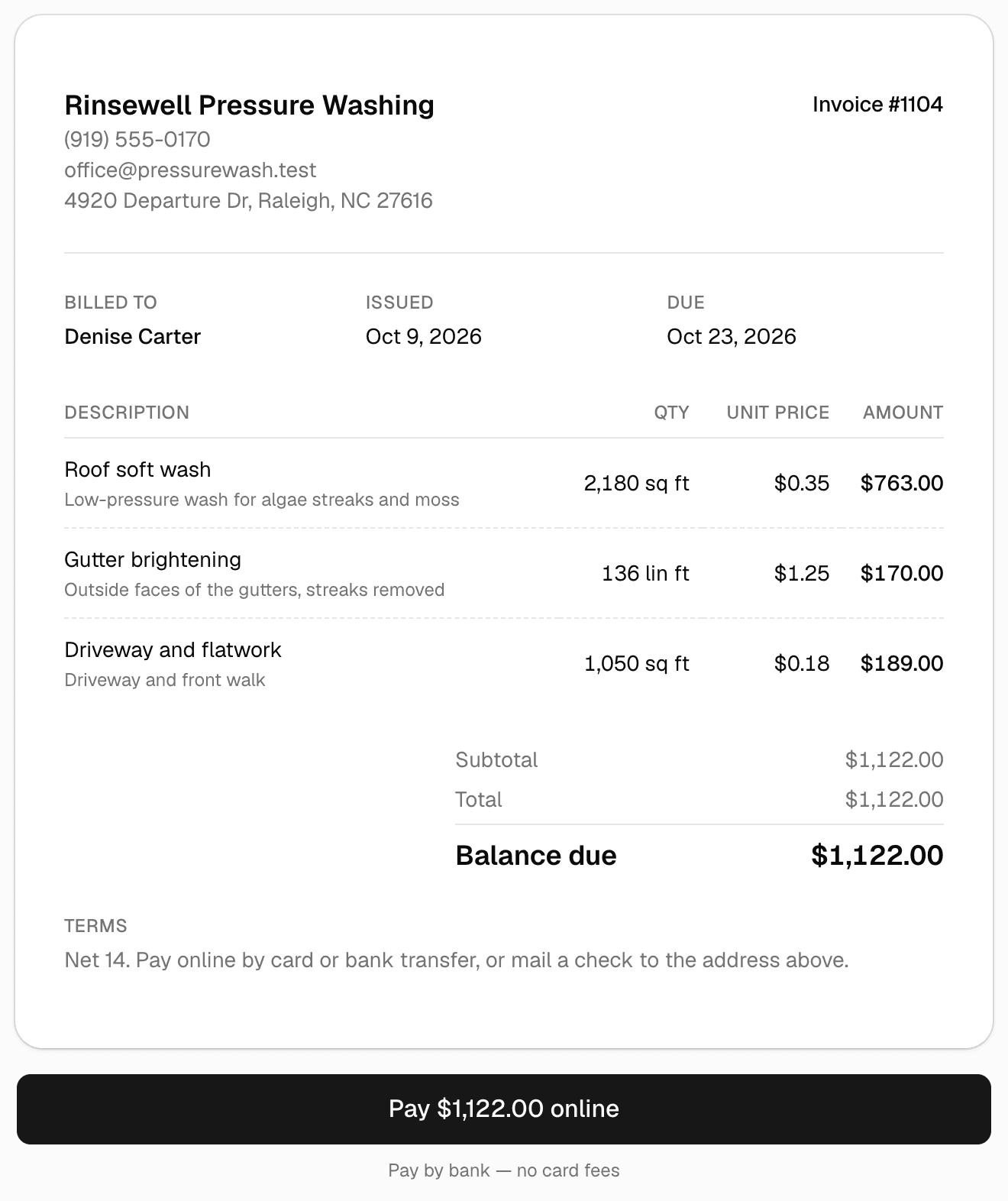
A CRM for contractors is the one place that holds every customer, every job site, every request, quote, job and invoice, and who did what and when. The spreadsheet, the notebook in the truck and the phone's call history each hold a piece of that; a CRM is the whole thing, one record per customer, open from the lot and from the desk. You need one the day a second person needs what you carry in your head, or the day a customer asks what they paid last year and the answer takes a search.
What contractor CRM software holds
CRM stands for customer relationship management, a name from sales offices. For a contractor it means the record of each customer and everything that happened with them. Six kinds of record, linked to each other, cover nearly all of it.
| Record | What it holds | The question it answers |
|---|---|---|
| Customer | Name, phone, email, billing address, other contacts, notes, balance | Who is this, how do you reach them, what do they owe |
| Job site | The address where the work happens, measurements, photos, access notes | Where the crew goes and what the property looks like |
| Request | A lead: what was asked for, the address, photos, when it came in | Who is waiting for an answer |
| Quote | Line items, options, deposit, terms, the date sent and the date approved | What was offered and what was accepted |
| Job | The approved work, the dates, the crew, visits done or skipped | What is scheduled and what got done |
| Invoice and payment | Amounts, due dates, what was paid, how and when | What is owed and what came in |
The links between them are the point. A quote on its own is a document; a quote attached to the customer, the site and the invoice it became is history. That history is also what the IRS means by records: its list of documents that support income names invoices and deposit information, its list for expenses names invoices, account statements and proof of electronic funds transferred, any recordkeeping system that clearly shows income and expenses may be used, and the requirements for paper records apply to electronic records too.
A CRM is not your books
The CRM tracks what was quoted, done, billed and paid; the books track the tax picture, and the two can disagree on timing. Under the accrual method a sale is recorded when the work is completed, under the cash method only once payment has been received, as the Small Business Administration's guide explains. Keep both, and hand the bookkeeper an export rather than a login.
Signs you need a CRM: when the spreadsheet stops working
A spreadsheet works for one person with a short list. It stops working quietly, and these are the signs.
- A request came in by email or through a form and sat for days, because it was in one inbox.
- Two people have two copies of the list and neither is current.
- A customer asks what they paid last spring and the answer means searching email, a bank statement and a phone's messages.
- Invoices are chased from memory, so some are never chased.
- A quote went out as an attachment, the customer approved by phone, and nothing records which version they approved.
- A second crew or an office helper needs the information you keep in your head.
Any two of those and the spreadsheet is costing you, in missed work and evenings spent reconstructing. The last one is the real trigger: a CRM is how a business survives being more than one person, because the record belongs to the company, not to whoever answered the phone.
What to look for in a contractor CRM
Judge a tool on the day it will be used, not on the demo. Six things decide whether it gets used from a truck.
It works on a phone, in the browser
The business runs from the lot, so the tool has to run on the phone with nothing to install. Pew Research Center's 2025 survey found that 91 percent of US adults own a smartphone, and the customers approving quotes and paying invoices are on the same phones. Open the tool on your own phone before you decide, and open a quote the way a customer would.
The request to quote to invoice path
The first job of a CRM is to stop the retyping. A request should carry the address and photos into a quote; the approved quote should become the invoice; a payment should close the invoice and update the balance. Ask to see that path in one sitting. Anything that needs the same address typed three times is a filing system, not a CRM. The quote itself has its own rules, covered in how to write a service quote customers approve.
Online payment by card and bank
Getting paid should take a link, not a trip. Look for card and bank (ACH) payment from the invoice, the processor's fee stated plainly, and each payment written back to the invoice without you touching it. The Small Business Administration's advice is to use the most trusted tools and anti-fraud services your bank or card processor offers, which favors a tool built on a known payment processor over one that handles card numbers itself. The habits around the invoice are in how to get paid faster as a contractor.
Import today, export any day
Your list has to come in from the spreadsheet by CSV without a sales call, and it has to come out the same way. A tool that imports but will not export is a trap, so find the export button before the import button. The move itself, with the columns to keep, is in how to switch CRMs without losing your customer list.
The security basics the FTC asks of every small business
A customer list is personal information. The Federal Trade Commission's guide for business says to keep only the sensitive information you have a legitimate business need for, and only as long as necessary, so a card number has no place in a notes field when the processor holds it. The FTC's small business cybersecurity page asks for passwords of at least 12 characters, multi-factor authentication for sensitive information, automatic updates and regular backups. A browser tool carries the updates and backups on its side; your side is a strong password, the second sign-in step wherever it is offered, and a separate login for each person.
History kept as long as the IRS expects
The IRS says to keep records that support an item of income, deduction or credit for 3 years in the ordinary case, 6 years if income was left off a return and it was more than 25 percent of the gross income shown, 7 years for a claim for a loss from a bad debt deduction, and employment tax records for at least 4 years after the tax is due or paid. A CRM holds the invoices and payment records that support income, so it must keep history when a customer is archived or a plan changes, and it must let you export everything. Ask what happens to your data the day you stop paying.
MakeHay is a free CRM built around that list. A customer record holds contacts, job sites, history and balance, and the list imports by CSV. A request form lands each lead in Requests with photos and the site address. The customer approves and signs online, the approved quote becomes an invoice in one click, and card and ACH payments come in through Stripe with a processing fee on online payments. Payments and quotes export to a spreadsheet, and every team member is free, with permissions per person.
How much should a CRM cost a small contractor?
Tools in this category price three ways: a monthly fee per user, tiers that keep online payment or automatic reminders for the higher plan, and a flat fee with a ceiling on customers. Each one charges for the thing you were trying to do: adding the office helper, taking payments online, growing the list.
A fair test is to add up the monthly cost for everyone who will touch the tool, including the person who only looks up addresses, then add the processing fee on the money you expect to collect online. That fee is the one cost that should scale, because it scales with money collected. A seat fee for a crew of four turns into a shared login within a month, which breaks permissions and the record of who did what.
MakeHay charges no monthly fee, no per-user fee and no paid tiers; the optional add-ons are No MakeHay branding at $9 a month and the Website add-on at $197 a month.
What to do on Monday
- Step 1: Export the spreadsheet to CSV and clean it: one row per job site, with columns for the customer's name, phone, email and billing address and the site's street, city, state and ZIP, so a customer with three properties is three rows under one name.
- Step 2: Pick the tool by the request to quote to invoice path, tested on your own phone, and find its export button before anything else.
- Step 3: Import the list, then send the next quote from the tool, so the history starts now.
- Step 4: Put the request form on the website, point the Google Business Profile's website link at it, and enter phone-call leads as requests by hand, so every lead is in one place.
- Step 5: Keep the spreadsheet read-only for a season, then stop opening it.
FAQ
CRM vs spreadsheet: is a spreadsheet enough for a small crew?
It is enough for one person who answers every call, writes every quote and chases every invoice, and can find last year's job in a minute. It stops being enough when a second person needs the same list, a lead waits in one inbox, or the link between a quote and its invoice lives only in memory. The spreadsheet stays the right format for the way in and the way out.
Is there a free CRM for contractors?
Yes. MakeHay has no monthly fee and no per-user fee; online payments carry a processing fee, and the add-ons on the pricing page are optional. Whatever tool you pick, check that free covers the whole path from request to quote to invoice to payment, not a plan that ends or one that leaves out the invoice.
Do I need a CRM with a two-person crew?
Two people is exactly when a shared record starts to pay, because the second person cannot read the first one's head. The test is whether a customer's history, the open quotes and the unpaid invoices can be found by whoever picks up the phone. If that is only one of you today, a CRM is overdue.
What is the difference between a CRM and field service software?
Field service software is a CRM with scheduling and dispatch added: a calendar, crews, visits, sometimes routing and time tracking. For a contractor the line is thin, because the records are the same. Judge either by whether the approved quote becomes a job on the calendar and then an invoice without anything being retyped.
Sources
- How long to keep records (Internal Revenue Service) · Keep records for 3 years if situations (4), (5) and (6) do not apply; 6 years if you do not report income that you should report and it is more than 25% of the gross income shown on the return; 7 years if you file a claim for a loss from worthless securities or a bad debt deduction; indefinitely if no return is filed or the return is fraudulent; employment tax records for at least 4 years after the date the tax becomes due or is paid, whichever is later. (accessed October 17, 2026)
- What kind of records to keep (Internal Revenue Service) · Any recordkeeping system that clearly shows income and expenses may be used; documents supporting gross receipts include deposit information for cash and credit sales, receipt books and invoices; documents supporting expenses include canceled checks or proof of electronic transfer, account statements and invoices; all requirements that apply to hard copy books and records also apply to electronic records. (accessed October 17, 2026)
- Mobile Fact Sheet (Pew Research Center) · 91% of US adults own a smartphone and 98% own a cellphone of some kind; survey conducted February 5 to June 18, 2025. (accessed October 17, 2026)
- Cybersecurity for Small Business (Federal Trade Commission) · Cybersecurity Basics: a strong password is at least 12 characters; require multi-factor authentication to protect sensitive information; turn on automatic updates; make it a habit to back up important files regularly, in the cloud or on an external hard drive. (accessed October 17, 2026)
- Protecting Personal Information: A Guide for Business (Federal Trade Commission) · Five principles: take stock, scale down, lock it, pitch it, plan ahead; if you don't have a legitimate business need for sensitive personally identifying information, don't keep it, and keep needed information only as long as it's necessary. (accessed October 17, 2026)
- Manage your business: Manage your finances (US Small Business Administration) · The accrual method records a sale when it is completed even if payment comes later; the cash method only records it once payment has been received; accounts receivable is among the bookkeeping tasks to manage; common guidelines advise keeping records for three to seven years. (accessed October 17, 2026)
- Manage your business: Strengthen your cybersecurity (US Small Business Administration) · Best practices for small businesses: train employees, including on protecting sensitive vendor and customer information; use multi-factor authentication; update software automatically; regularly back up data on all computers; work with your banks or card processors to ensure you are using the most trusted tools and anti-fraud services. (accessed October 17, 2026)