How to Turn Website Requests Into Booked Jobs Faster
How to turn website requests into booked jobs: reply within minutes, get the address and photos on the form, quote from them, book the date and confirm.
The MakeHay team · · 11 min read
A request from your website is a person with a problem, a phone in hand and three other tabs open. The job goes to whoever answers first with a real number and a date. Six steps get you there: a form that asks the right questions, a reply within minutes, a price from the photos, a follow-up on a schedule, a date booked on the first call, and a confirmation that keeps it booked.
Why contractor lead response time decides who gets the job
The Lead Response Management Study, a sales-industry study run with Professor Oldroyd of MIT on three years of data from six companies and more than 15,000 web-form leads, found that the odds of reaching a lead fall more than tenfold within the first hour, and that the odds of qualifying the prospect fall 21-fold when the first response moves from 5 minutes out to 30 minutes. After 20 hours, further call attempts lowered the chance of ever reaching the person.
Those numbers come from sales teams calling web leads in fields like mortgages and insurance, not from a two-truck crew, but the lesson carries. A homeowner who fills in your form fills in two more before dinner, and the contractor who answers first sets the price and the date. Treat a website request like a ringing phone: whoever is nearest answers it, between jobs, not after the last one.
What to ask on a request form
A form that asks only for a name, an email and a message guarantees a second round of questions. Every question on the form is one you do not have to ask by phone.
- The job site address, separate from the customer's own. It lets you measure the property and see the lot or the roofline before you call.
- Photos, with a prompt that says what to shoot: the whole area from the street, then the problem up close.
- The service wanted, as a short pick list in the customer's words (gutters, driveway, parking lot, lawn) with an Other box.
- A phone number and a best time to call.
- How they heard about you. Over a season this tells you which sign, listing or referral is paying.
Require only the address, a way to reach the person and the service. Make photos optional but ask twice: in the field label and again in the thank-you message. A form that demands too much gets abandoned; one that asks nothing gets you a conversation instead of a job.
Tip: Put the form on every service page, not only on Contact. A visitor reading your sealcoating page is ready to ask there.
Reply within minutes, from wherever you are
The first reply has one job: show the customer a person is on it. It does not need a price. It needs a name, a sentence that proves you read the request, and the next step with a time attached: Thanks for the photos of the back gutters. You will have a price by this afternoon. If a crew is free Thursday, does that work?
Make that reply possible from a truck. About nine in ten US adults own a smartphone, per Pew Research Center's 2025 survey, so your customer is reading on one and you can send from one. Whatever holds your requests has to show the photos and the address on a phone and notify someone the moment a request lands. A request that waits in an inbox until evening is a lead handed to the next contractor.
Decide who answers. On a small crew that is usually the owner, who is also the one under a truck at 2 in the afternoon, so give one other person permission to send the first reply and offer a date. The price can wait for you; the acknowledgment cannot. Requests from Google count too: a verified Business Profile can list a chat option and carry booking links, so route those to the same person.
Quote from photos and a measurement, not a second trip
A site visit costs a half day of drive time and pushes the quote to next week, by which point the customer has two other numbers. For work priced by area, length or count, the photos plus a satellite measurement are enough to quote the same day. A free satellite measurement tool lets you trace a driveway, a lot, a roof or a lawn edge from the address and get square feet, linear feet and counts. Pair it with the pricing method for the work: pressure washing can be estimated without a site visit, and gutter cleaning is priced by linear foot from the roofline you trace.
When a visit still earns its drive
- The price depends on what photos cannot show: base failure under asphalt, rot behind a fascia, a tree leaning over a structure.
- Access is the job: a gate, a slope, a lot that has to be emptied of cars first.
- The customer is a commercial account worth a walk-through, or asks for a visit. Book it on the first call and send the price the same day you walk the site.
How to follow up on a website request that goes quiet
Most quotes do not get an answer the day they are sent, and silence is rarely a no. The customer is waiting on a spouse, a board, a paycheck or the other two bids. A short follow-up on a schedule wins a share of those jobs without turning you into a pest.
- Step 1: The next business day: one line asking whether the quote arrived and whether anything needs explaining. No pressure, no discount.
- Step 2: A few days later: name a date the crew could start. If the quote has options, say which one you would pick.
- Step 3: The week before the quote expires: say the price holds until the date on the quote and may change after it.
- Step 4: After the expiry date: one last note, then stop. Mark the request lost with a reason.
When the customer is comparing bids, ask what the other quote includes and answer with what yours covers that theirs may not: the prep, the disposal, the number of coats, the warranty. Never drop your number before you know what you are being compared with. Templates for each step are in quote follow-up emails for contractors.
Good to know: The US CAN-SPAM Act exempts transactional and relationship messages from most of its provisions, but whether a quote follow-up counts as one depends on its content, so meet the commercial rules every time: truthful routing information, a subject line that matches the message, your postal address and an opt-out, honored within 10 business days.
Book the date on the first call
The gap between an approved quote and a scheduled job is where booked work leaks out. A customer who said yes on Tuesday and heard nothing by Friday starts to wonder, and a wondering customer answers the next contractor's call. Put the calendar in front of you on the first call and offer two dates, not an open question.
Then hold the date with a commitment. For a one-visit service, a signed approval is enough. Where you order material or hold a crew for days, ask for a deposit at approval, sized to what you spend before day one; how much deposit to ask for covers the state caps. A customer who has paid a deposit has little reason to keep shopping. If your Business Profile carries a booking link, point it at the same form.
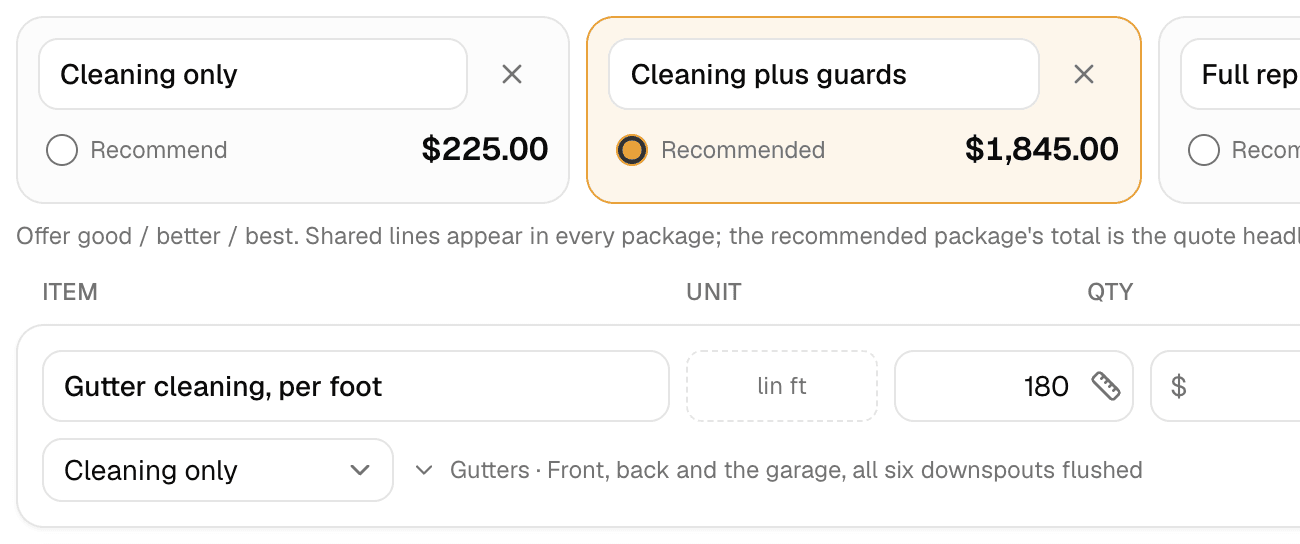
In MakeHay, the request form embeds on any website or shares as a link, and a request lands in Requests with the customer's details, photos and the job site address, with an email to the owner. A request with an address can start a draft quote in one tap, the property can be measured from satellite imagery into the quote, and the customer approves and signs online, paying a deposit on the quote if you ask for one. Quote follow-ups go out by email on a schedule you set, and the job goes on the calendar with its visits and crew.
The booking confirmation email that keeps the job booked
A booking that lives only in a phone call gets forgotten, by the customer or by you. Send a confirmation the same day the date is set, the one message the customer can find later. It should carry:
- The date and the arrival window, and whether anyone needs to be home.
- The job site address, so a wrong address surfaces now, not on the morning of the job.
- The scope in the same words as the quote, and the price.
- What the customer has to do first: move the cars, unlock the gate, keep the dog in.
- What happens if the weather turns, and how to reach you to reschedule.
A confirmation about a job the customer already agreed to is a transactional message under the CAN-SPAM Act, so it does not need the marketing opt-out language, but its routing information still has to be truthful. Write the subject as the job and the date, and send a two-line reminder the day before.
Close the loop after the job: the review
The job that came from the website should send the next one. BrightLocal's 2026 Local Consumer Review Survey of 1,002 US adults found that 97 percent of consumers read reviews for local businesses and 89 percent expect the owner to respond. Ask for the review the day the job closes, by email, with the direct link. Google's tips page says to remind customers to leave reviews and share a link or a QR code, and that offering free or discounted services in exchange for reviews is prohibited. The US Federal Trade Commission adds the other guardrail: invite every customer, never only the ones you expect to be happy.
Then make the next request easy: a short email at the start of the season to the customers whose last job was the same service fills the calendar before a stranger's form does. A parking lot maintenance schedule shows how one job becomes a yearly one.
What to change on Monday
- Step 1: Open your request form on a phone. Add the job site address, a photo prompt and a service pick list if they are missing.
- Step 2: Decide who answers a request in the first minutes, and write the three-sentence first reply where that person can paste it.
- Step 3: Write the follow-up schedule down, and draft the confirmation email once with blanks for the date, the address, the scope and the customer's to-do.
FAQ
How fast should a contractor respond to a website request?
Within minutes when you can, and never later than the same day. The Lead Response Management Study found the odds of qualifying a prospect dropped 21-fold between a 5-minute and a 30-minute response. The first reply does not need a price; it needs to prove a person read the request and name the next step.
Should every website request get a site visit?
No. Visit when the price depends on what photos cannot show, when access is the job, or when the account is worth a walk-through. For surface work priced by area, length or count, the customer's photos and a satellite measurement are usually enough.
How many times should you follow up on a quote?
Three or four times, on a schedule, then stop: the next business day, a few days later, the week before the quote expires, and once after. Each message should add something (a start date, an answer, the expiry) rather than repeat the ask.
Can a contractor ask for a Google review by email after the job?
Yes. Google's tips page says to remind customers to leave reviews and share a review link or QR code, and it forbids offering free or discounted services in exchange for reviews. The FTC says to invite all customers, not only the happy ones.
Sources
- The Lead Response Management Study (LeadResponseManagement.org, with Professor Oldroyd, MIT) · A sales study of leads obtained through web forms, with tests in the mortgage and insurance sectors; analyzed three years of data from six companies, over 15,000 leads and more than 100,000 call attempts; states that contact success dropped more than tenfold in the first hour, a 21-fold decrease in the odds of qualifying a prospect if the response time stretched from 5 to 30 minutes, and that after 20 hours additional call attempts negatively impact the chances of making a successful contact. (accessed October 17, 2026)
- Mobile Fact Sheet (Pew Research Center) · States that about nine-in-ten (91%) of US adults own a smartphone and 98% own a cellphone of some kind, from a survey of 5,022 US adults fielded February 5 to June 18, 2025. (accessed October 17, 2026)
- Chat with customers from your Business Profile (Google Business Profile Help) · States that businesses with a claimed and verified Business Profile can add a WhatsApp click-to-chat link or a phone number as a chat option in their contact info, edited under Edit profile, then Contact, then Chat. (accessed October 17, 2026)
- Manage your local business links (Google Business Profile Help) · States that a profile can carry up to 10 links per category through which customers can book an appointment, make a reservation or place an order, that one link can be set at the top as Business preferred, and that links are added by selecting Booking in Google Search or Edit profile in Google Maps. (accessed October 17, 2026)
- Tips to get more reviews (Google Business Profile Help) · Advises owners to remind customers to leave reviews by sharing a Google link or QR code, to reply to reviews and share their perspective, and states that offering incentives, like free or discounted goods or services, in exchange for customers to post reviews is strictly prohibited. (accessed October 17, 2026)
- Local Consumer Review Survey 2026 (BrightLocal) · Survey of a representative panel of 1,002 US adult consumers; states that 97% of consumers read reviews for local businesses, 89% expect business owners to respond to reviews, and 85% say positive reviews make them more likely to use a business. (accessed October 17, 2026)
- FTC's Endorsement Guides: What People Are Asking (Federal Trade Commission) · States that it is okay to invite all customers to post honest reviews, positive or negative; that asking for reviews only from customers expected to be happy would be misleading; and that an incentive cannot be conditioned on a review being positive and has to be disclosed by the reviewer. (accessed October 17, 2026)
- CAN-SPAM Act: A Compliance Guide for Business (Federal Trade Commission) · States that a transactional or relationship message may not contain false or misleading routing information but is otherwise exempt from most provisions of the Act; that a commercial message's subject line must accurately reflect its content and the message must include a valid physical postal address and a clear explanation of how to opt out; and that an opt-out request must be honored within 10 business days. (accessed October 17, 2026)